How do you file your income tax (kakutei shinkoku) in Japan?
How to file your income tax in Japan - a step-by-step guide.

I'm going to make this as informationally dense as possible, from my personal experience. I spent maybe 3 hours trying to file my taxes. Hopefully this helps you do it in less.
If you're a regular salaried employee, your employer files a tax return for you at the end of the year. That's called nenmatsu chosei (年末調整). You don't need to do anything.
If, however, you...
- want to claim any sort of tax deduction (such as medical expenses, or furusato nouzei outside of the one-stop system)
- have income above JPY20M
- have income from other sources beyond your monthly paycheck
...you'll need to file a a separate return. That's called kakutei shinkoku (確定申告).
The kakutei shinkoku is the final version of your tax filing, and takes precedence over anything from your nenmatsu chosei.
In my case, i receive a portion of my compensation in equity, and so need to file this manually.
Step 1: get your documents in order
No, really.
You'll need:
- gensenchoshuhyo (源泉徴収票). This is a slip of paper issued by your company indicating the amount of withholding tax you paid through your payslip for the full year. Either retrieve it from you payment portal, or request it from your company's HR.
- Furusato nouzei payment slips. The key details required are the prefecture and city you donated to, amount, and the official payment date. This is the date they list on the certificate they send you, not the date you submitted the order.
- If you receive equity, a log of the number of days you worked outside of Japan. If you're a non-permanent resident tax payer, time spent working outside of the country is not taxable, as long as you don't remit the money into Japan. You'll need to indicate the number of days you were overseas for calculation purposes
- The TTM exchange rate from a bank in Japan, for all the dates your equity vested on. I used https://www.murc-kawasesouba.jp/fx/past_3month.php
- Any other documents for deductions (earthquake insurance, medical bills, proof of dependents, etc)
- Your my number card registered on mynaportal. This is required for authentication during the process. If you don't have it, search "mynaportal" on your respective app store.
Step 2: Login to the e-tax portal
Important point - use safari, not chrome. As another shining example of Japanese technological prowess... this website is designed to work on safari only (and maybe internet explorer, i don't know i didn't check)
The tax portal is here: https://www.keisan.nta.go.jp/kyoutu/ky/sm/top#bsctrl
Select 作成開始
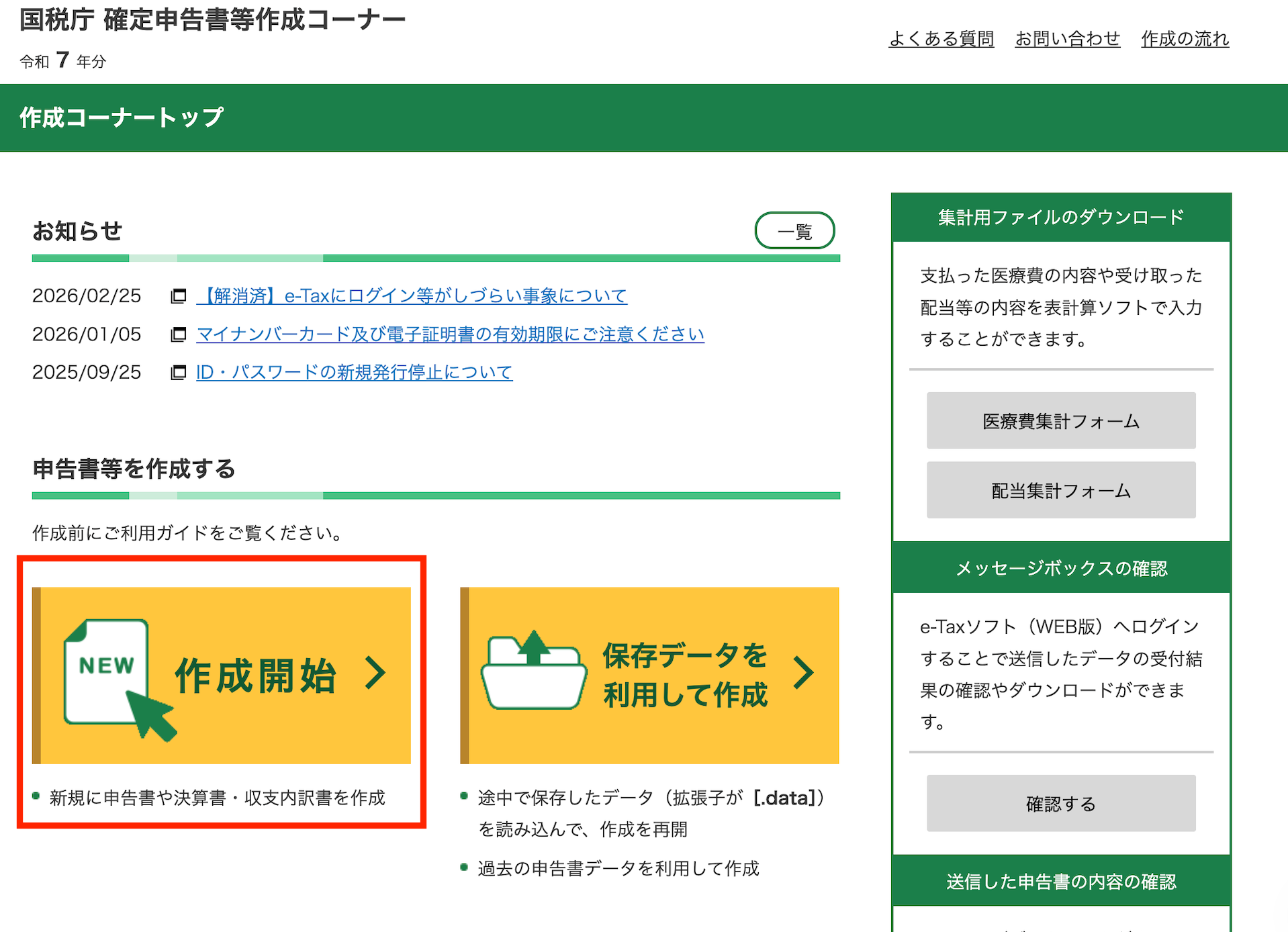
This will open a pop up.
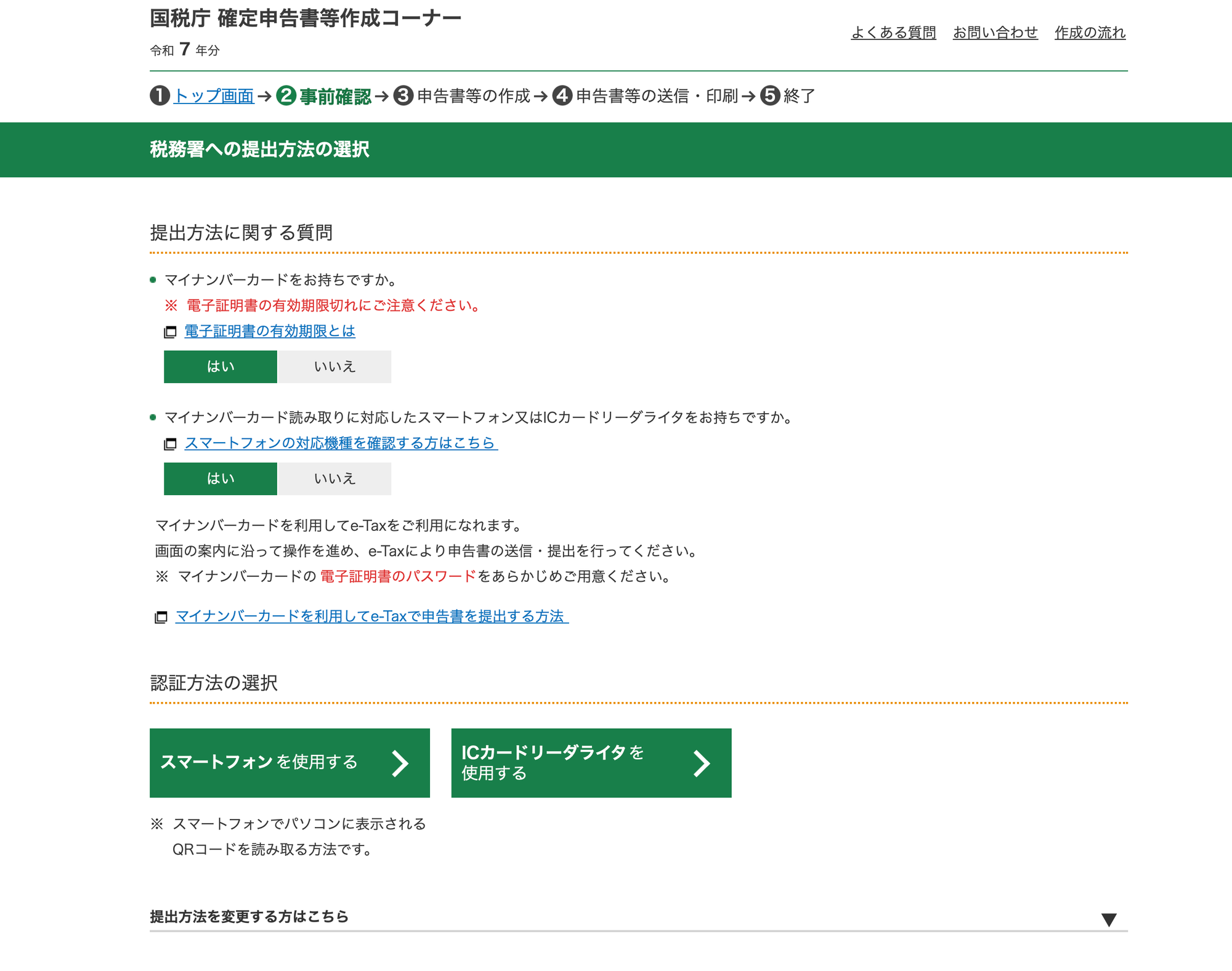
The first question asks if you have a my number card (yes/no).
The 2nd question asks if you have a smartphone or IC chip reader that can read your my number card (yes/no).
The 2 green buttons at the bottom ask you to choose which device you have, left for smartphone and right for IC chip reader. Most people would probably have a smartphone.
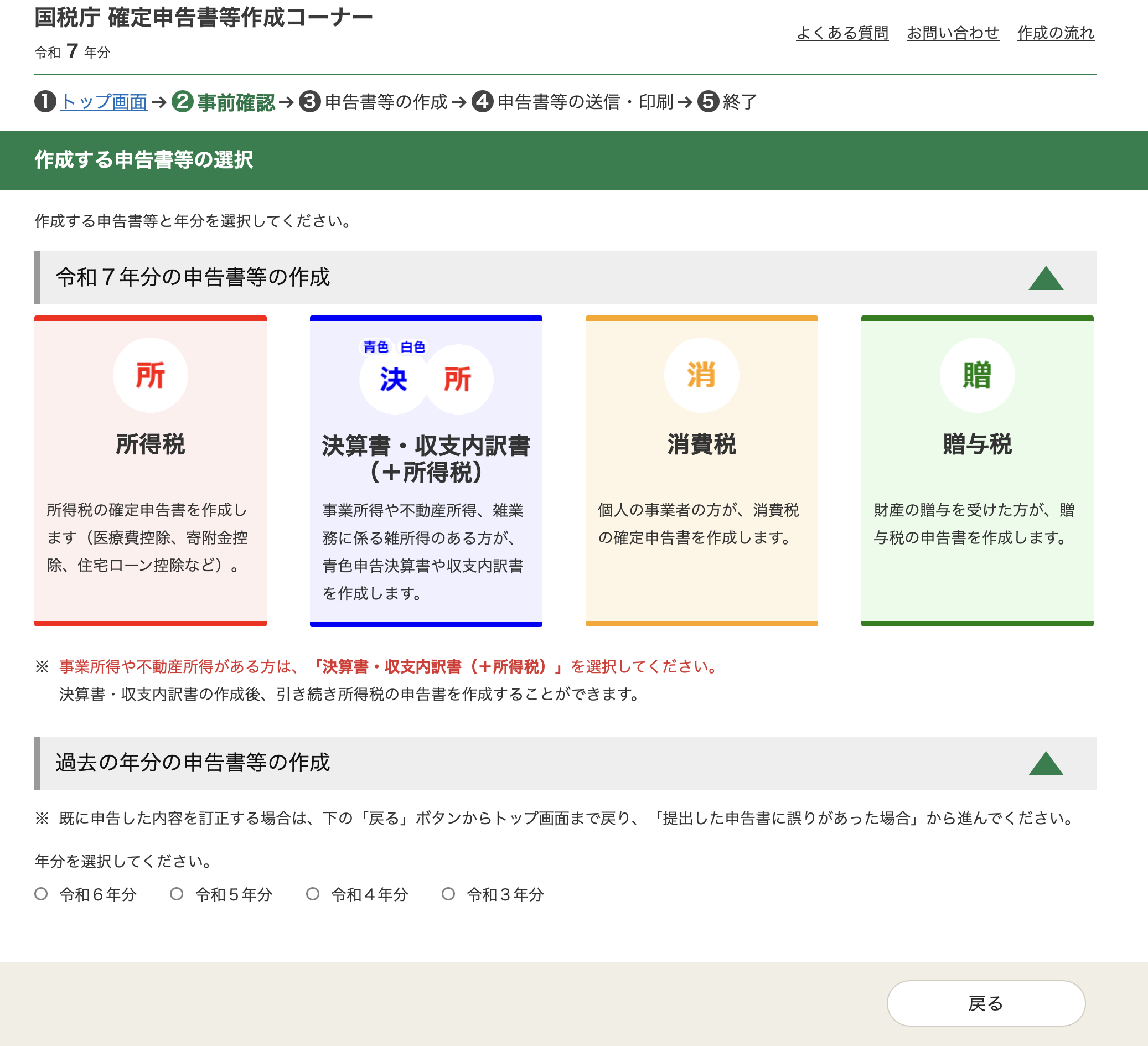
Selecting the スマートフォンを使用するbutton sends you to the next page, to indicate what type of tax filing you're doing. Income tax is the first red button.
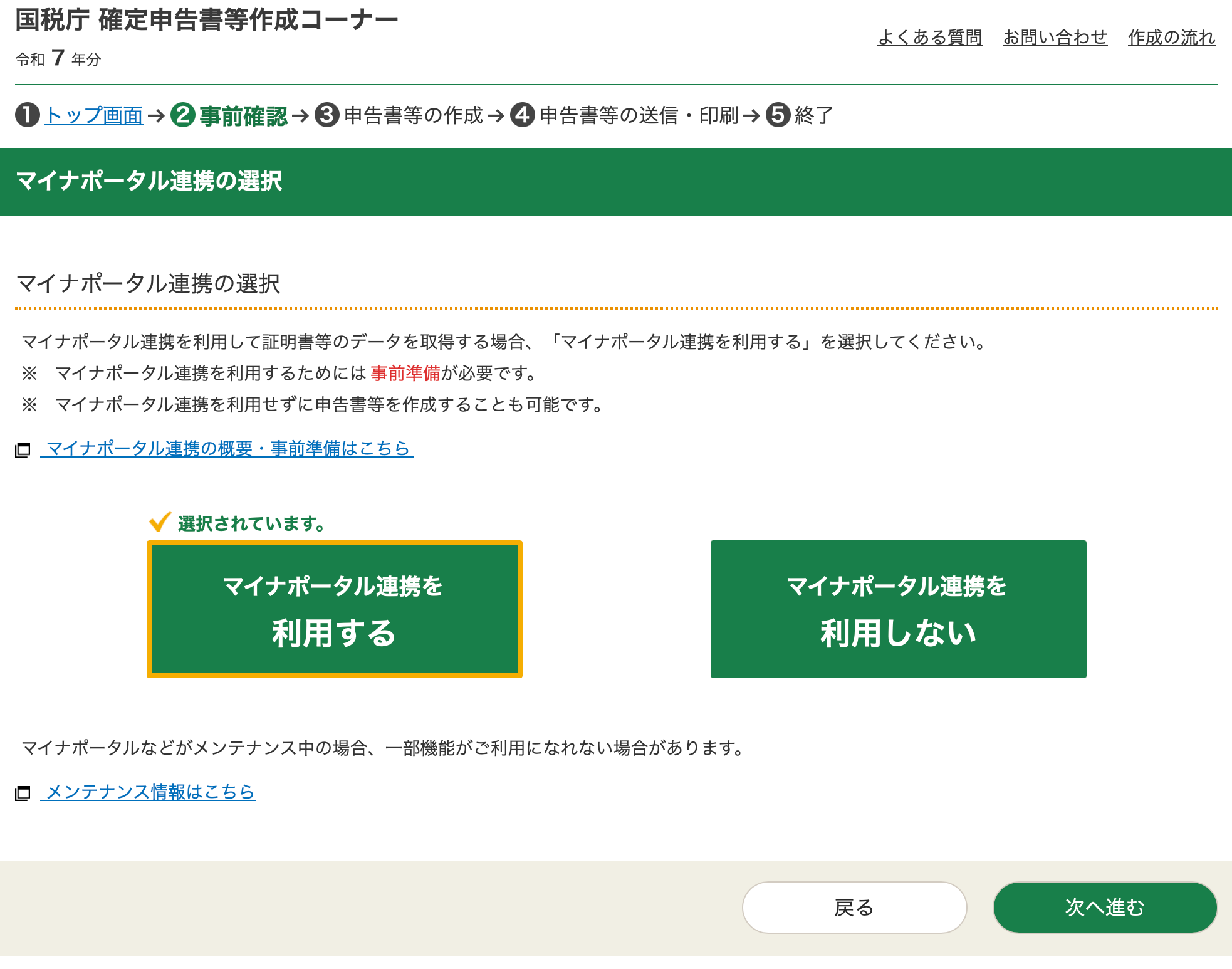
After selecting, you're asked if you're using mynaportal. Yes on the left, no on the right. After selecting yes, select the green button at the bottom right.
This sends you to a page with requirements (safari only, etc.)
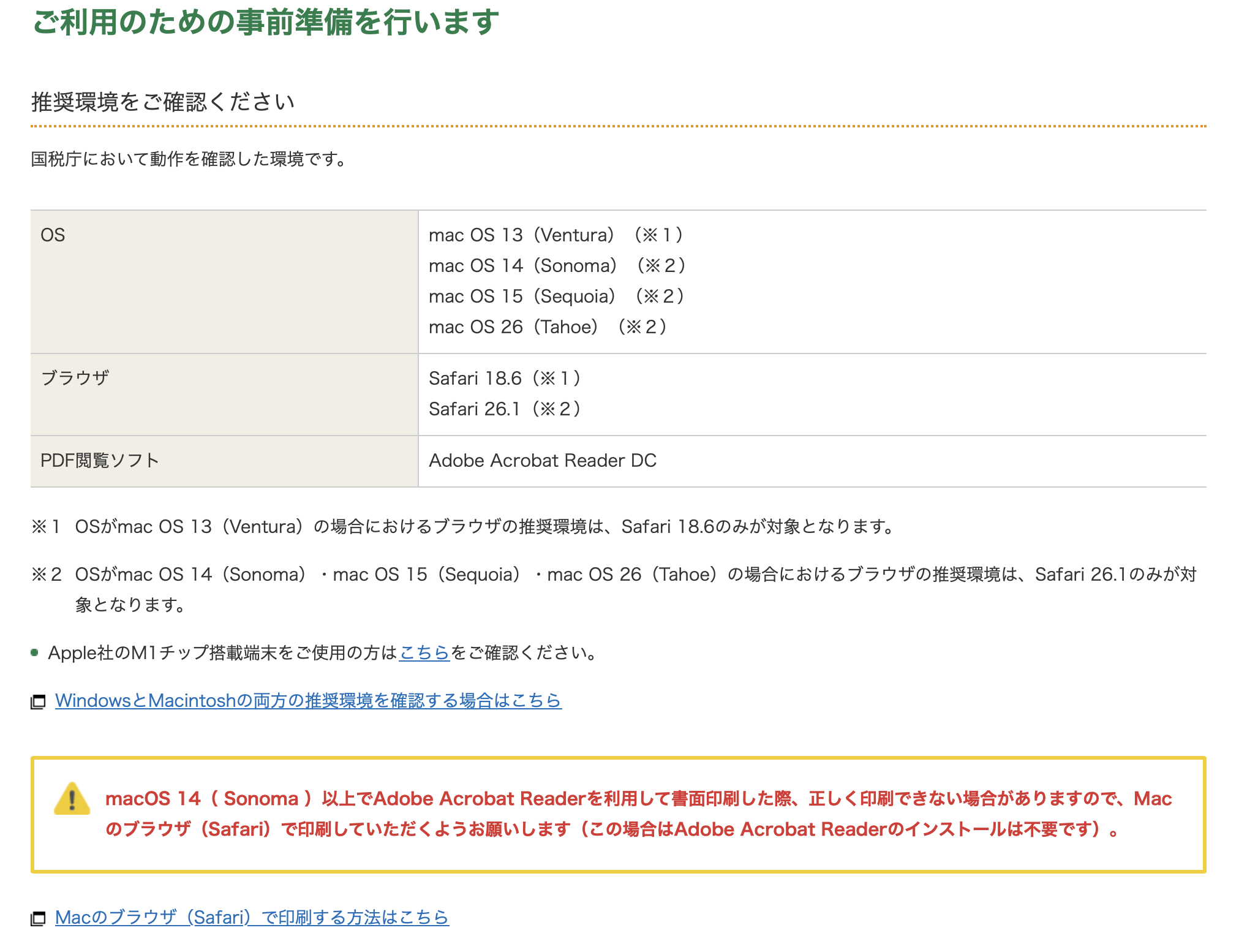
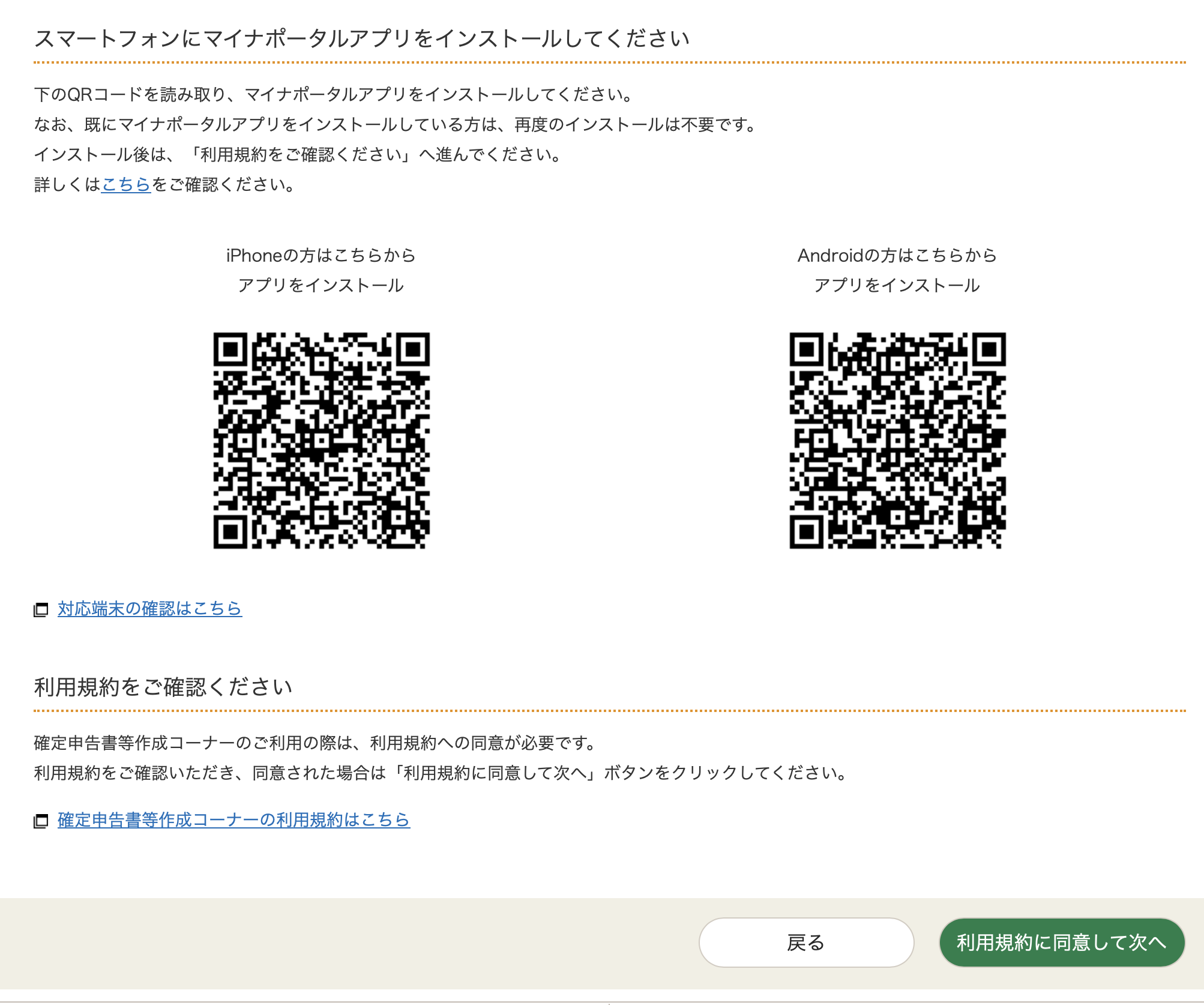
Scroll to the bottom - scan the QR code to download the mynaportal app if you haven't already. If you have, click the green button. This lands you on a page saying they'll redirect you to mynaportal.
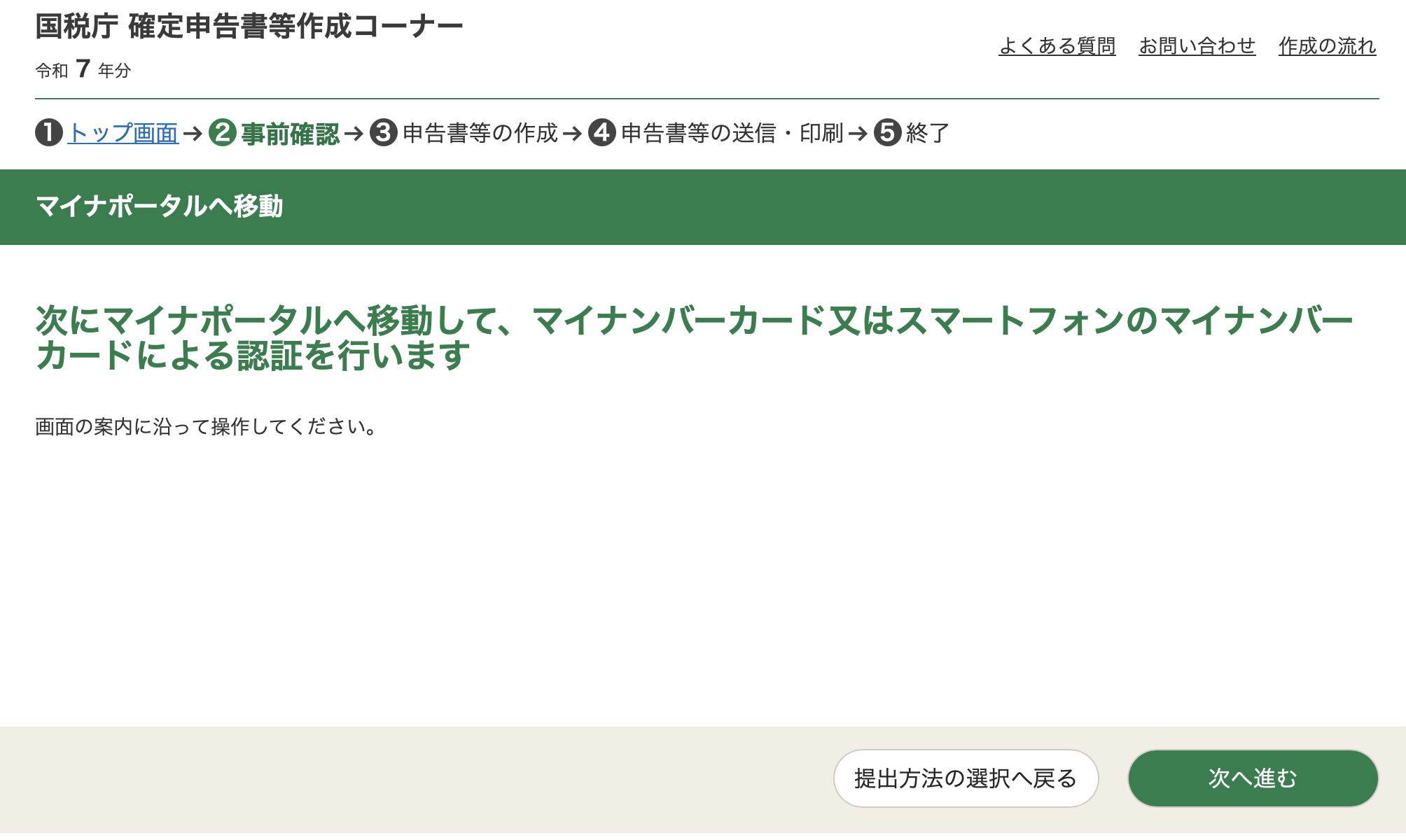
Click the green button at the bottom right again.
Which then redirects here.
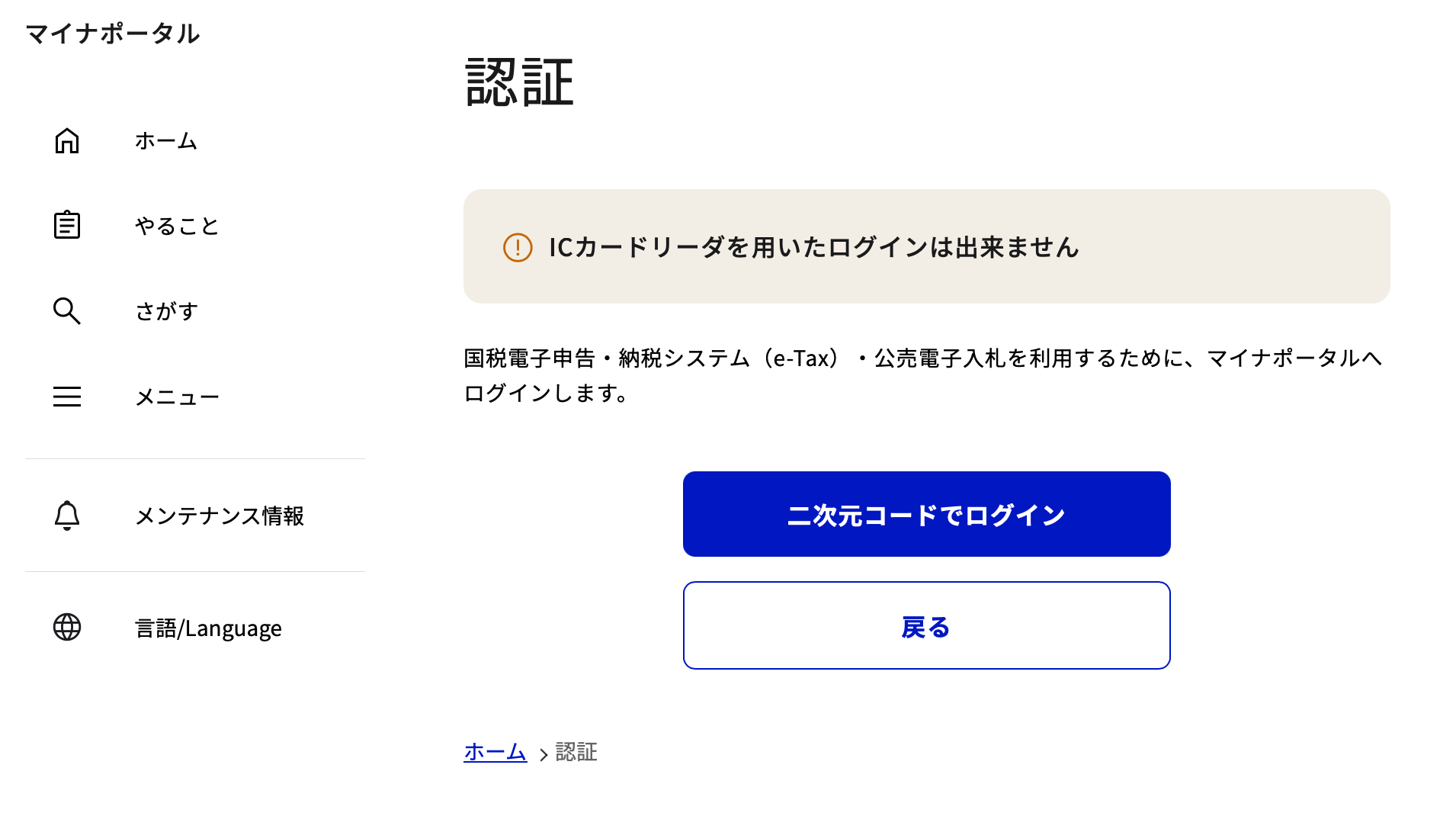
Click the blue button...
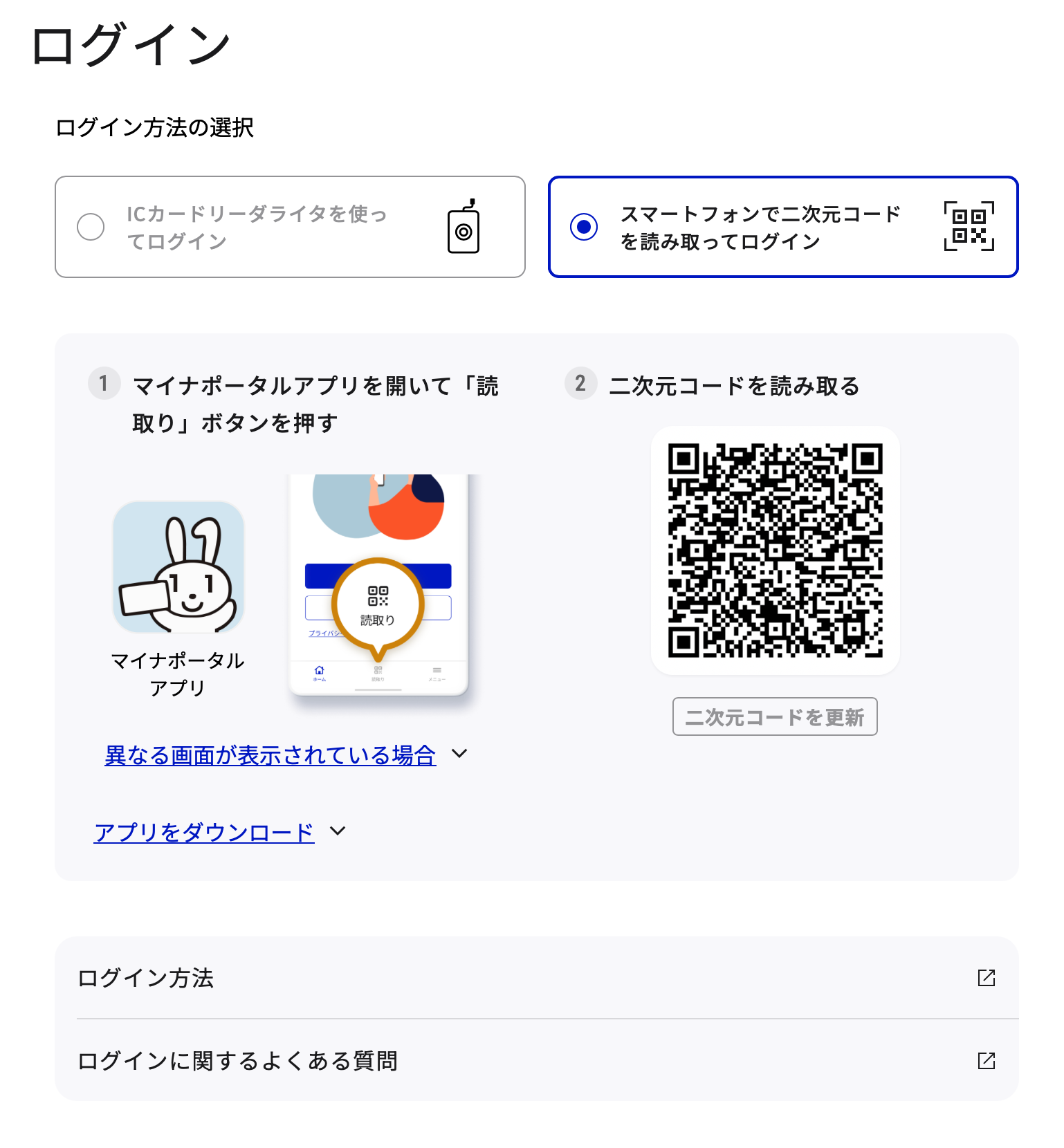
Then scan the QR code directly from the mynaportal app (don't use your phone camera).
Login with your pin, and read your my number card with the app. Once done, the website should redirect automatically.
Step 3: Actually file your taxes
This is where the process actually starts. From here, click the green button at the bottom right to land on a page to confirm your name and address.
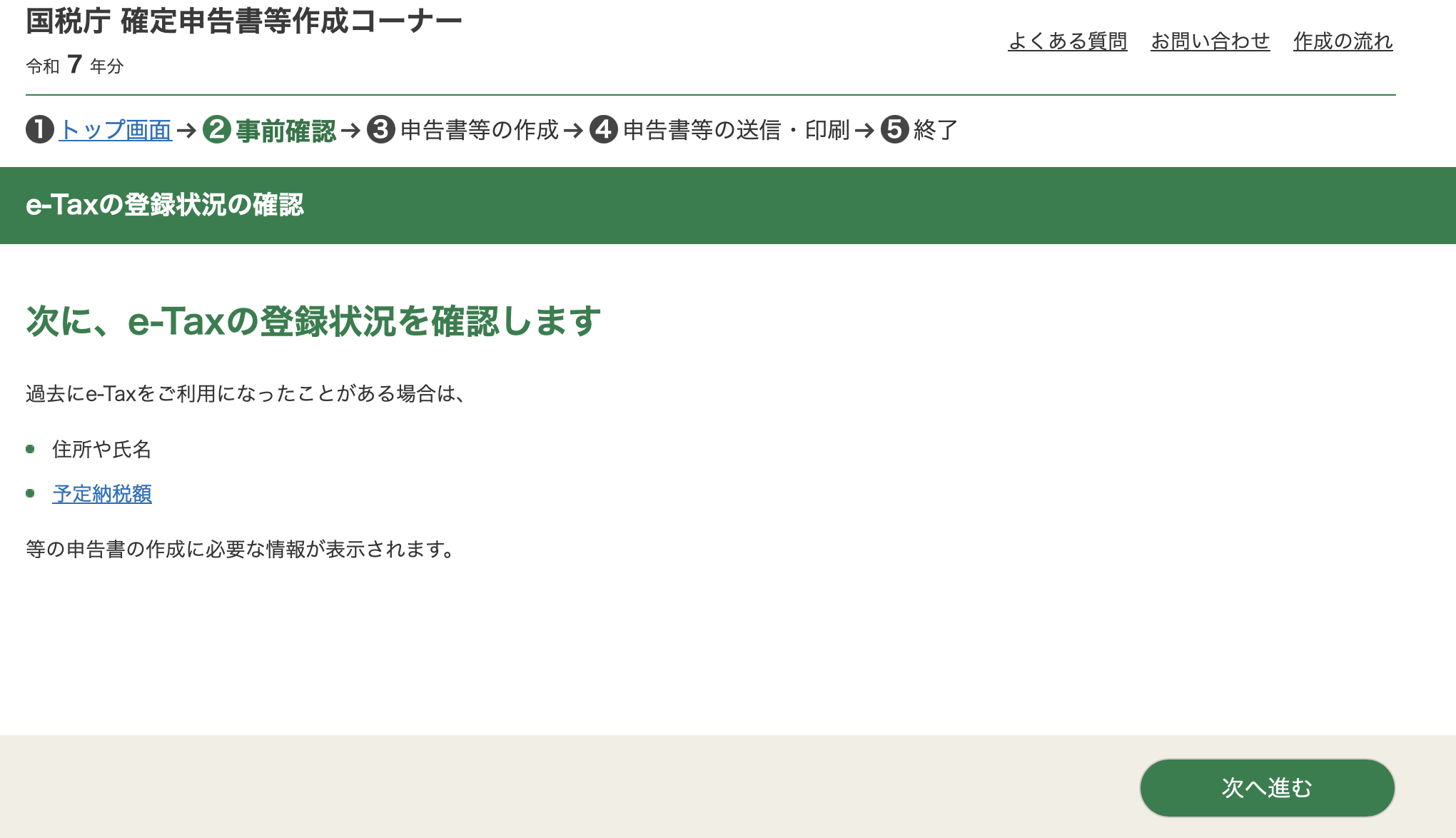
After confirming and going to the next page, they'll ask if you want to retrieve information for yourself (the first bullet point in red) and your family (the 2nd bullet point in red).
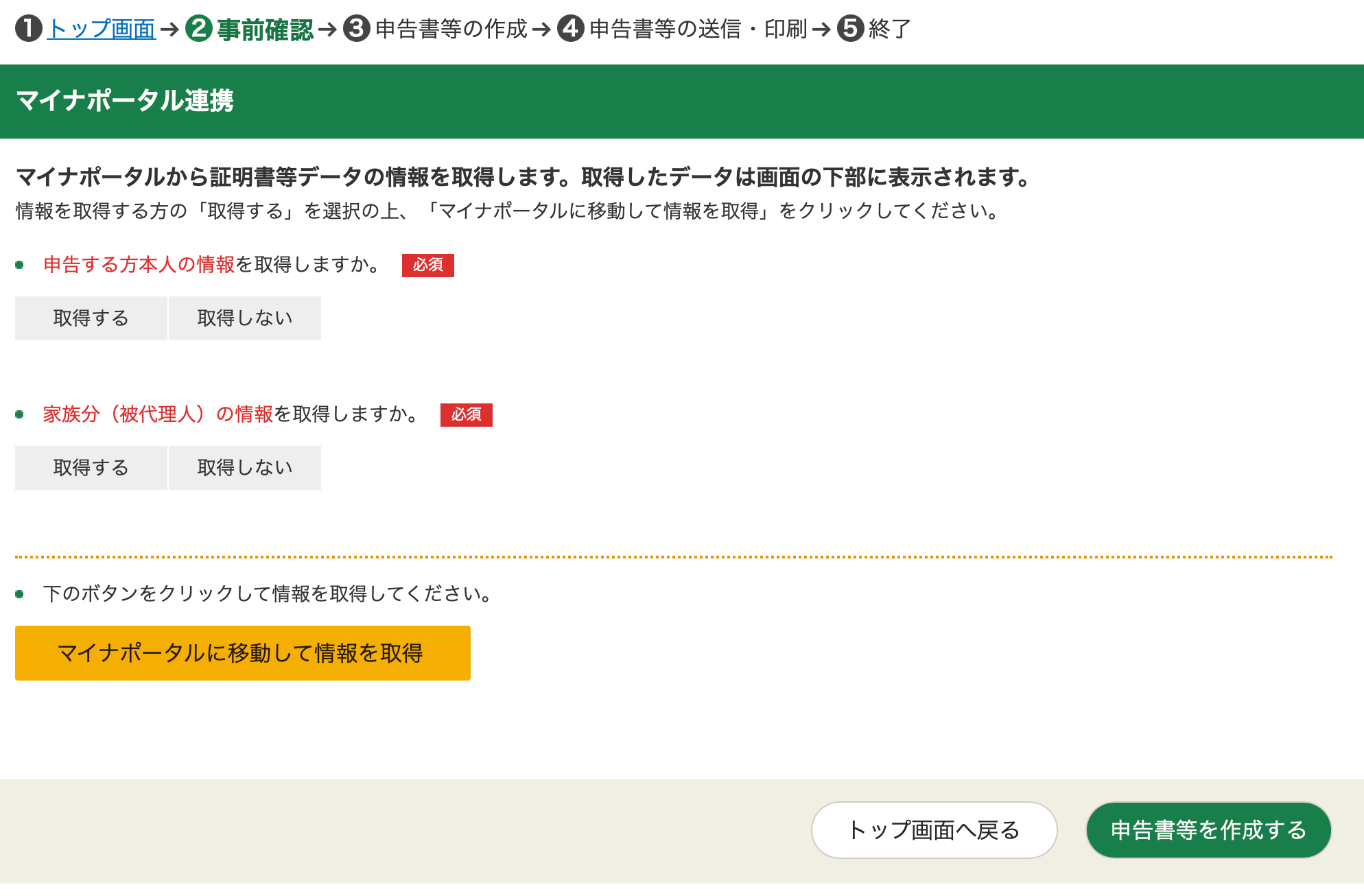
This includes information such as your out-of-pocket medical costs. Select it only if you intend to claim tax deductions from medical bills, property tax, etc. If not, select 取得しない on both boxes, and click the green button at the bottom right.
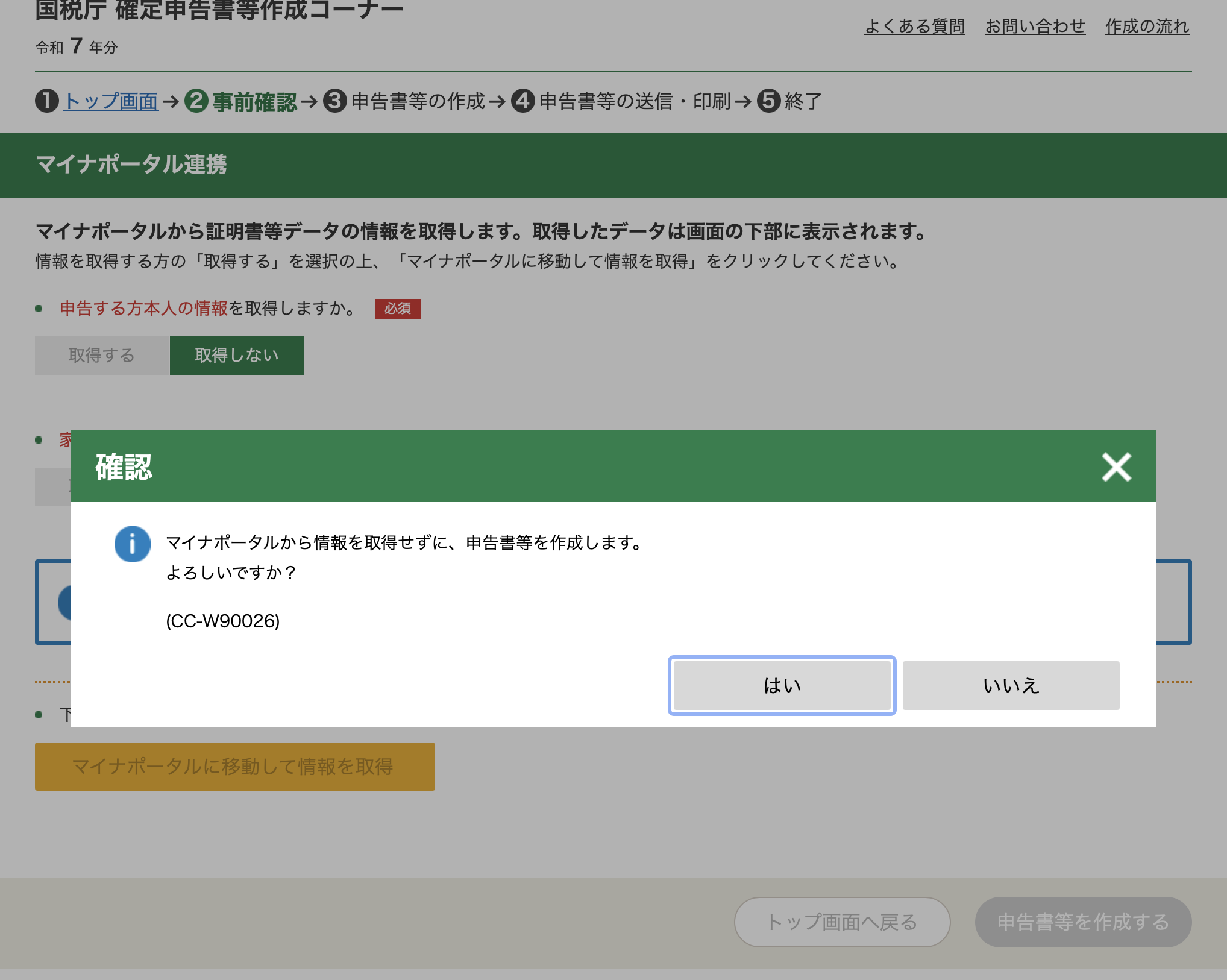
A pop up will appear, asking you to confirm if you want to proceed without retrieving any information. Select はい
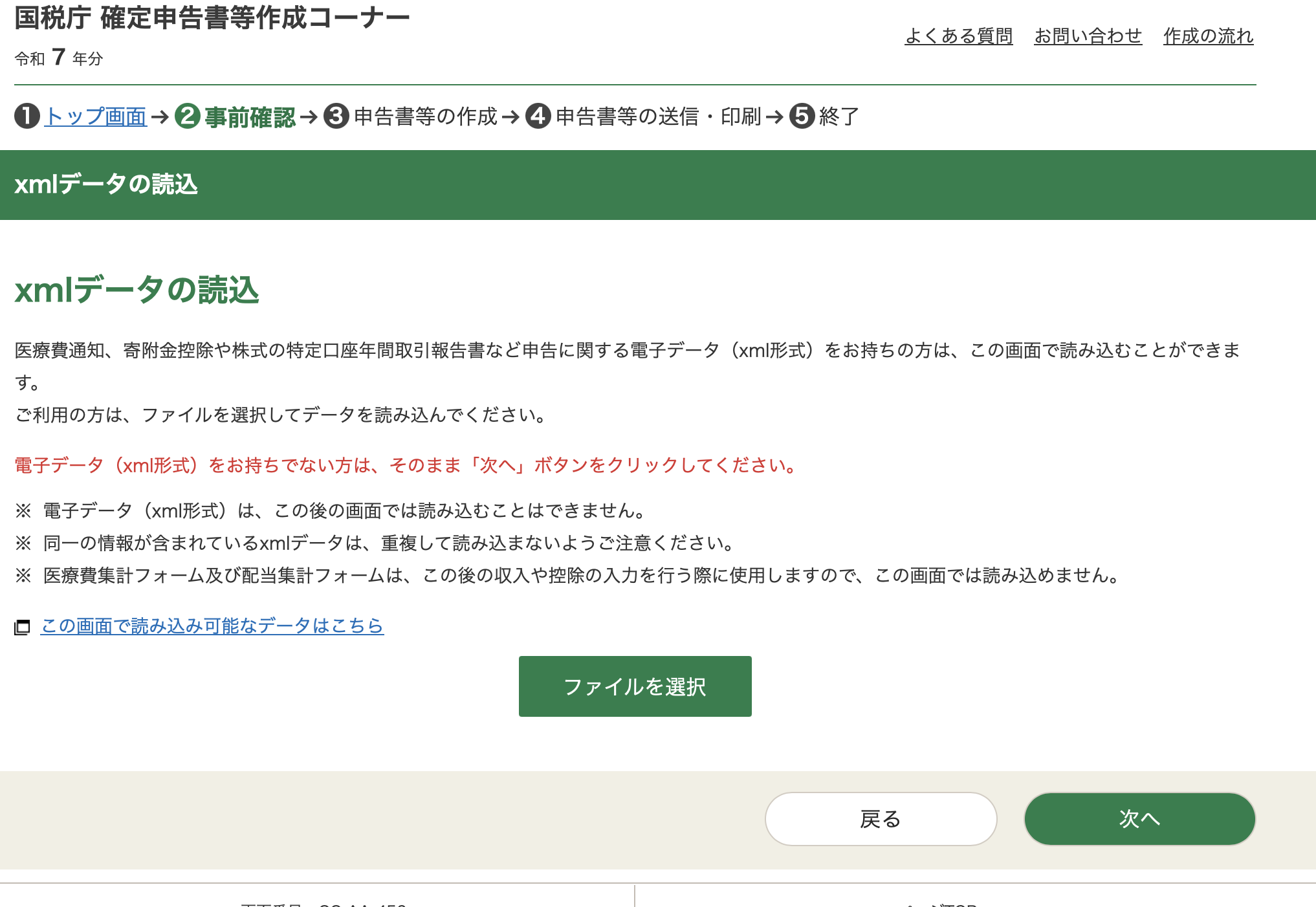
This leads to a page i simply cannot figure out (if you know how to use this, please tell me) - apparently you can upload data in an xml format to fill out the form. Perhaps its for companies or tax professionals who file on user's behalf. Either way, i don't have an xml (and if you're reading this, i suspect you don't either), so click the green button at the bottom right to proeed.
This lands you on a page to make selections for you tax filing.
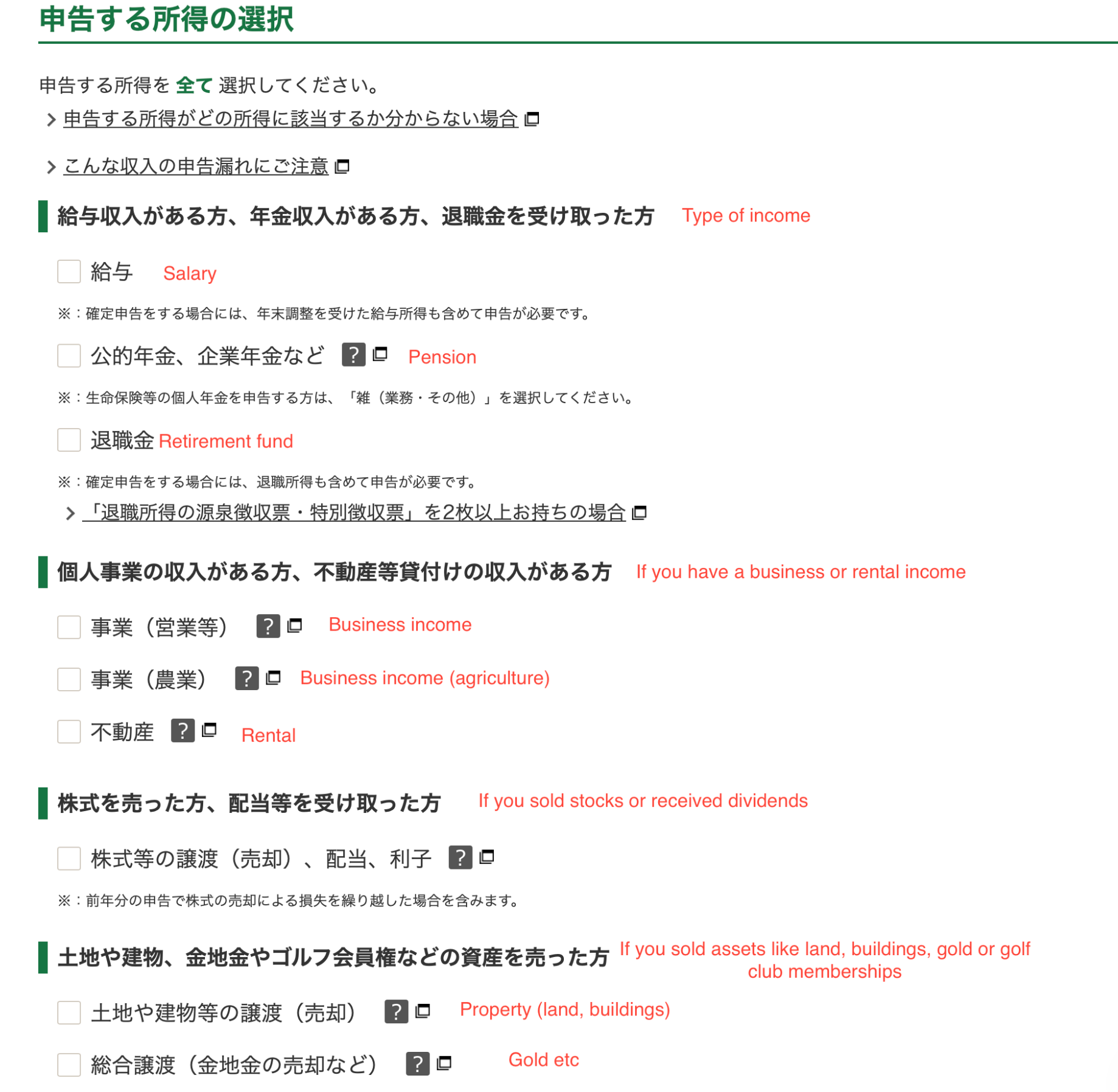
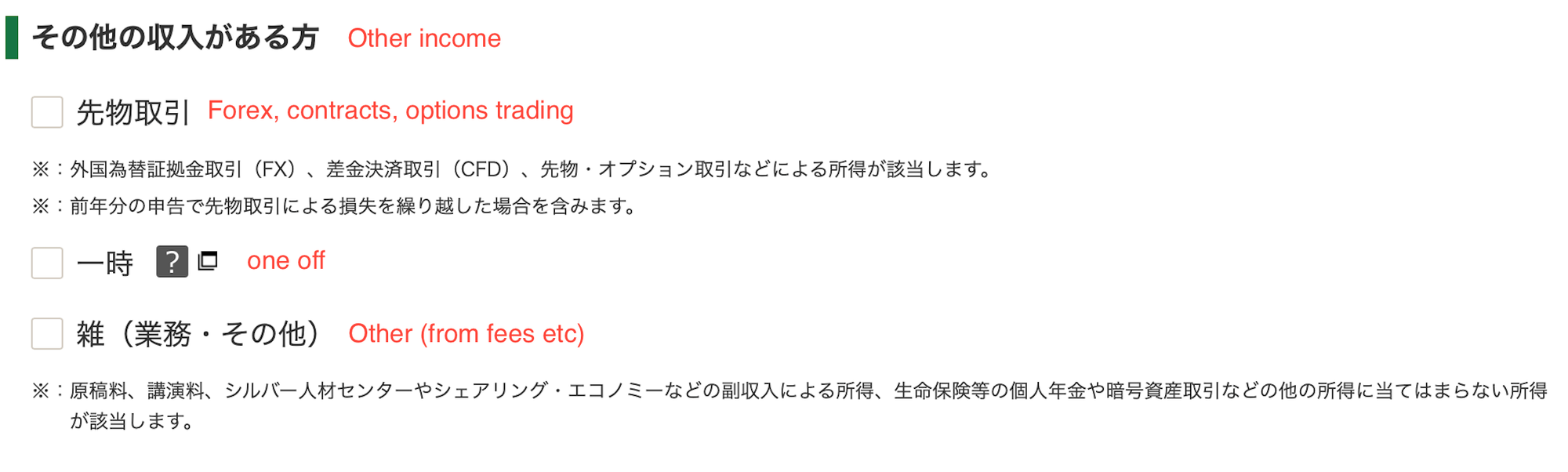
Assuming you select "salary", an option will appear at the bottom of the page. It asks how many withholding slips you're holding.
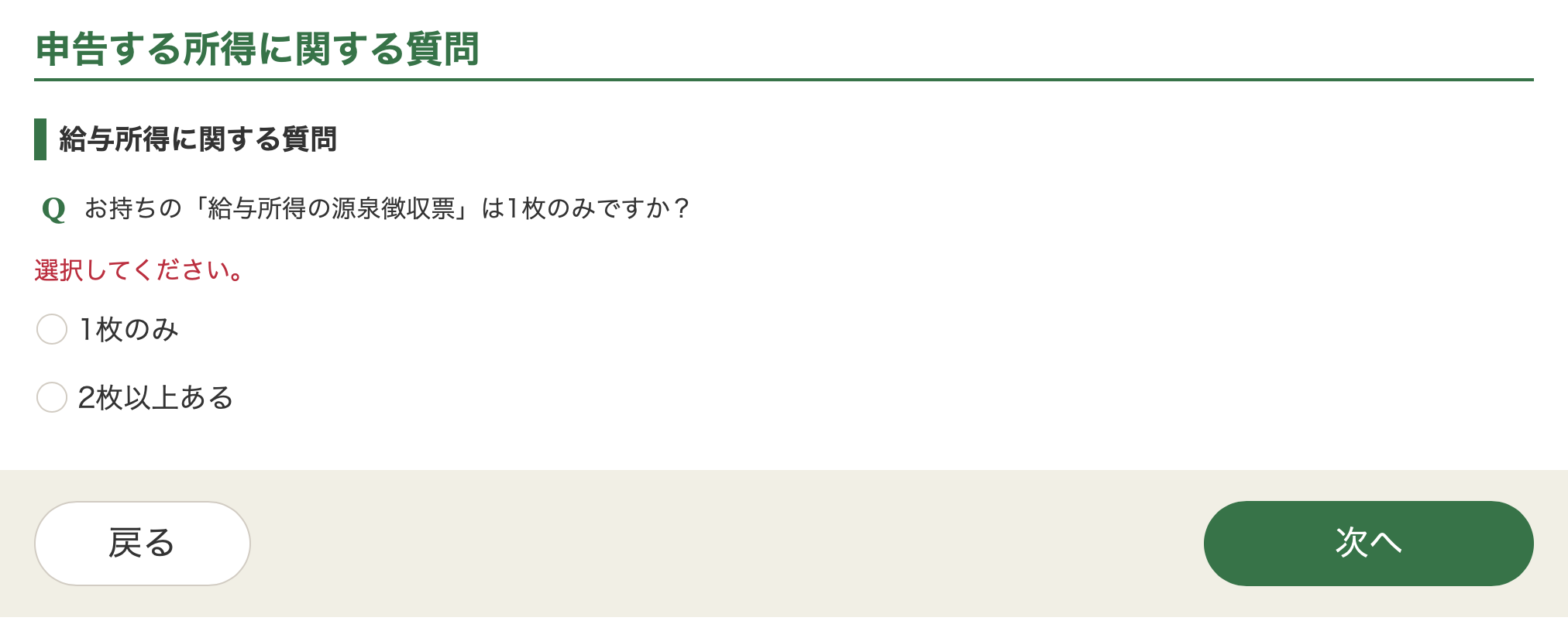
You must select the 2nd option, 2枚以上ある. This is because you're filing 2 types of income, one from your paycheck and one from your stocks. You must select 2 even if you don't have a gensenchoshu for your equity. All that means is that you'll input withholding as 0 later on.
Proceeding leads to the next step of inputting your earnings.
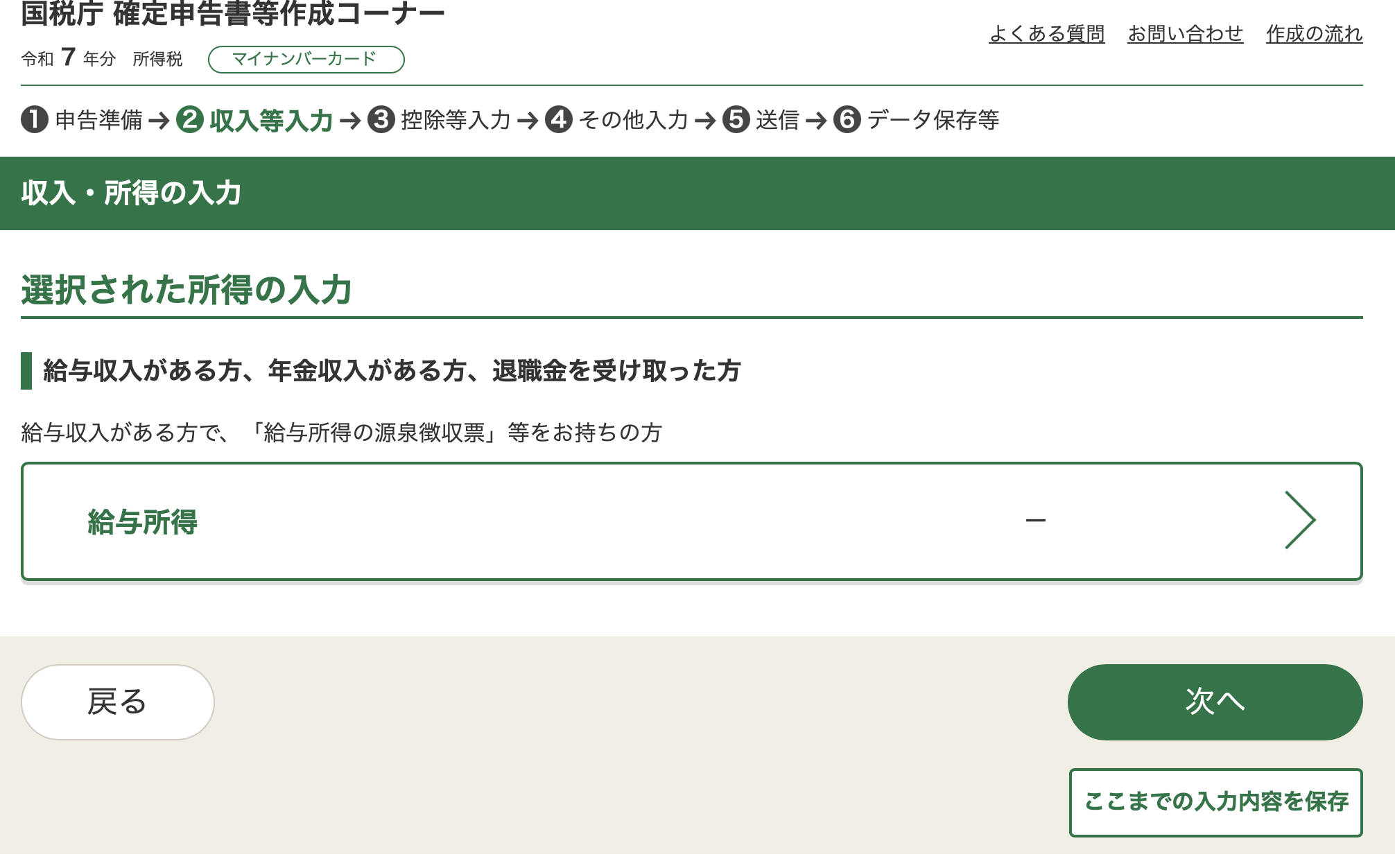
Select the green box in the middle, 給与所得. That leads to another page, with 2 orange buttons.
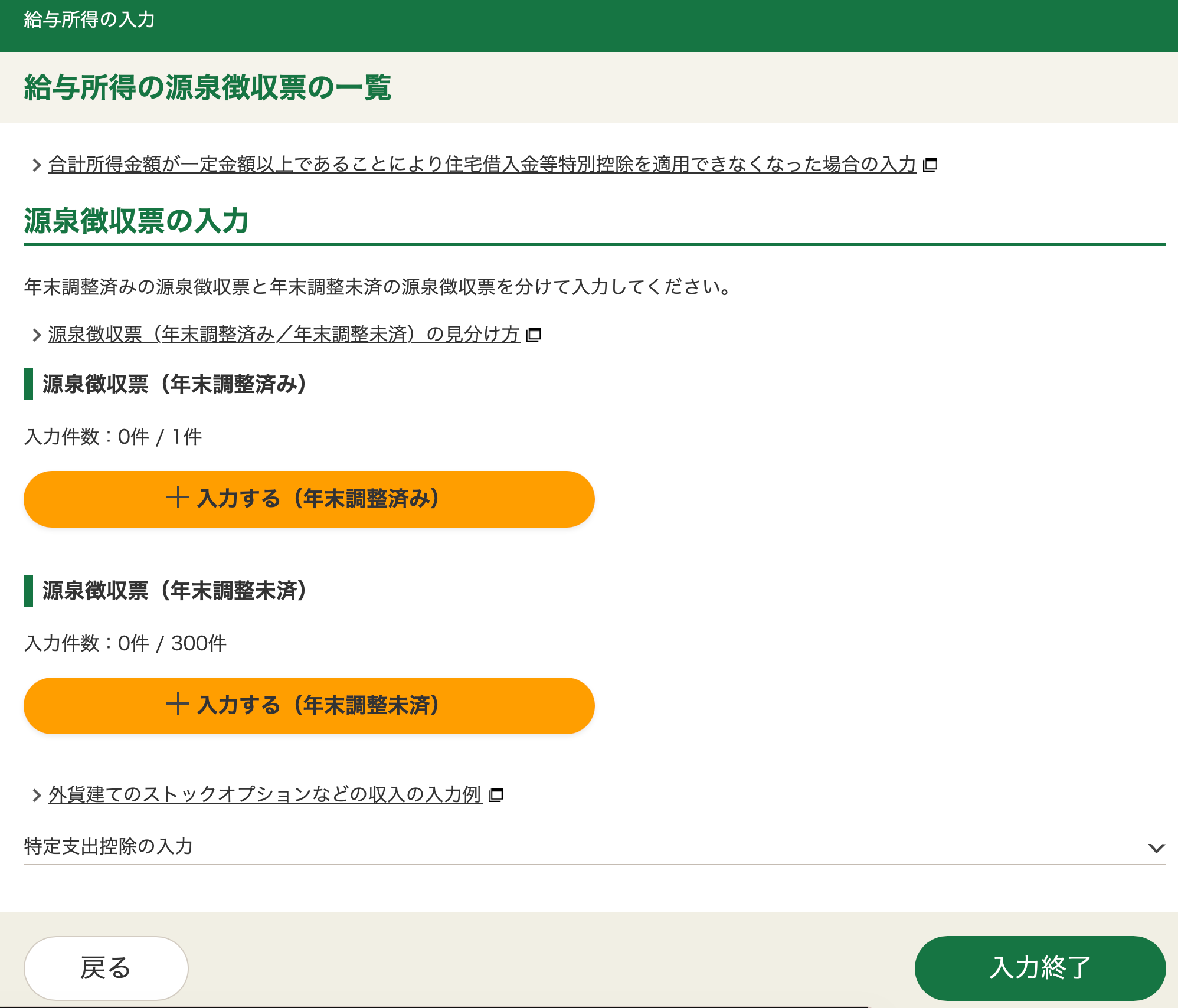
The first button is for your salaried portion, that has undergone nenmatsu chosei. The 2nd button is for everything else that hasn't, like equity.
Starting from your salaried portion, the gensenchoshuhyo follows a fixed format. Refer to the images on the page to fill in the appropriate numbers. Follow your gensenchoshu exactly. Additional information can be added later on in the process
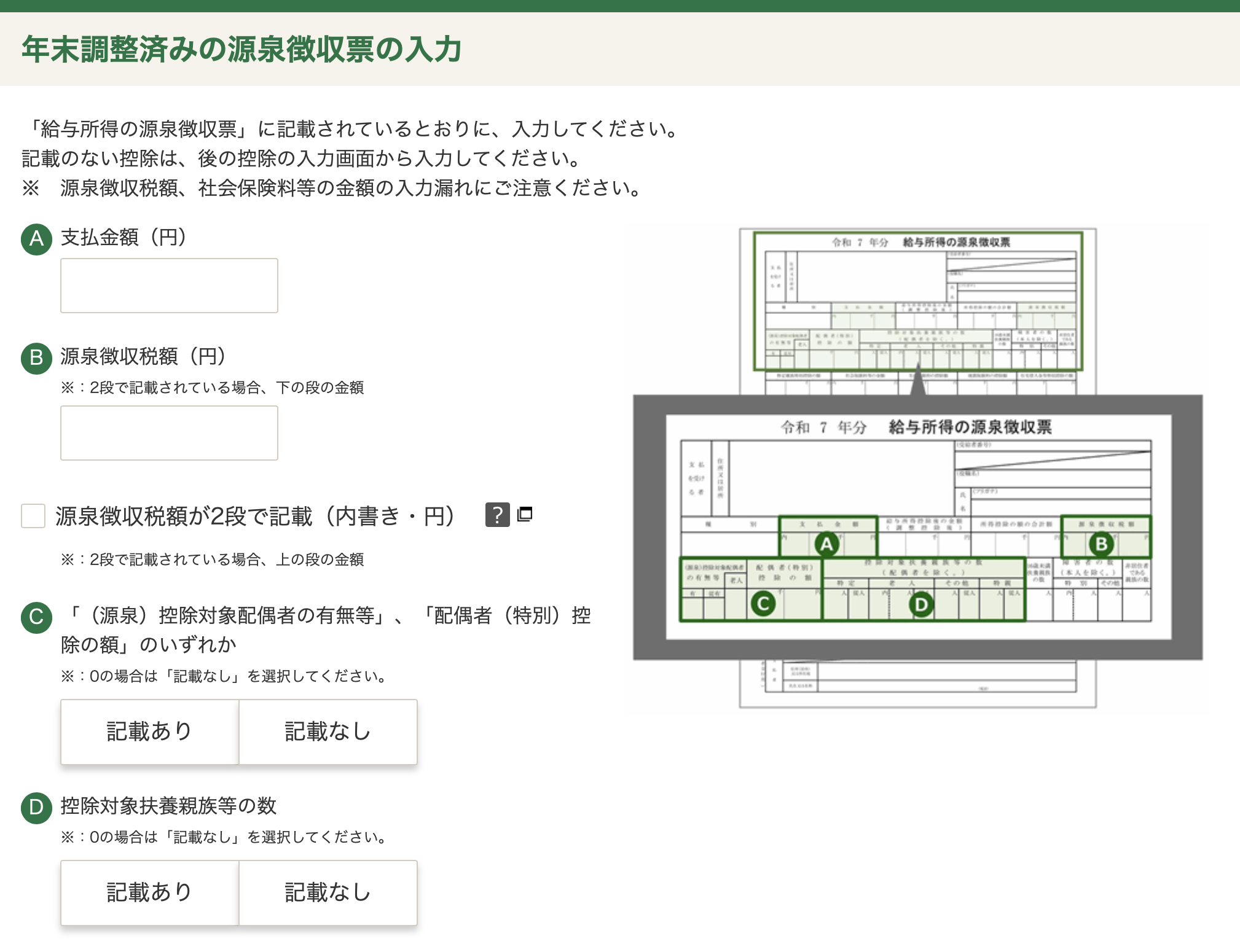
Ignore the checkboxes - i asked Gemini what this was, and its specifically for if you have 2 rows of values in (B). Supposedly, this almost never happens.
For options like (C) and (D) where its a yes/no option, select yes if there's something written in the corresponding box, and no otherwise.
Once done, go to the 2nd orange button. The page is exactly the same, just that for (B), you'll enter 0, since there was no withholding done.
The challenge here is calculating the amount.
A brief aside to talk about calculating equity income
First, you need to be a non-permanent resident taxpayer. If you've stayed in the country under 5 years, you qualify. If you've stayed 5 years or more, you'll be treated as a PR tax payer and will not qualify. In the latter case, no calculation is needed as 100% of this income is taxable.
If you're already a PR resident taxpayer, skip this section.
Otherwise, the formula i used is: at the time of vest, number of total days spent overseas working divided by number of total working days over the lifetime of the grant = % of the vest that is taxable in Japan.
For example, if i receive a grant in Jan 2024, then move to Japan in Jan 2025. Lets say i receive stocks in March, June, September, and December. In March 2025, 15 months have passed since my stock was granted, 3 of which i've spent in Japan. That's 20% of my stock's lifetime vest, so 20% of the vested value at that time is taxable in Japan. In June, 6 of 18 months would be spent in Japan, so 33% of that grant is taxable in Japan... and so on.
Now, we have to get even more granular. Lets say i worked 300 days in 2024 and 2025 each. In 2025, i travelled for 30 days for work, 10 days in August, and 20 days in November. My vest in September would thus count my Japan time as 225 working days from Jan-Sep, minus 10 days i was out of the country. So for September, i'd be taxable on 215/(225+300)=41% of that vest.
Returning from the equity intermission...
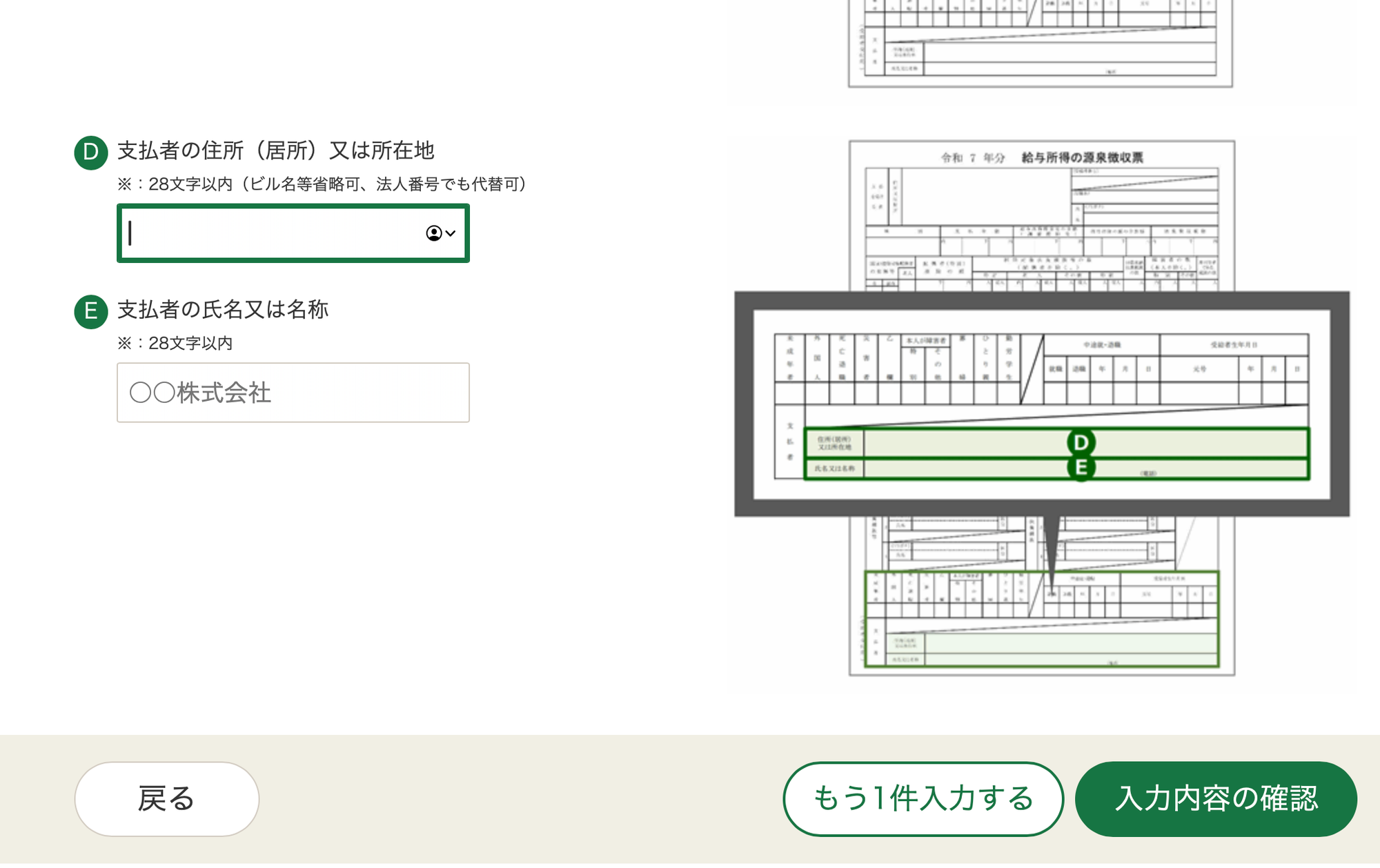
The bottom of the page will ask for an address and company name. From my previous tax filing organised by a tax professional, they input "国外払い給与" in both these boxes. This translates to "foreign sourced income"
After completing the income section, you'll come back to the original page - there'll now be a green checkmark indicating this section is populated.
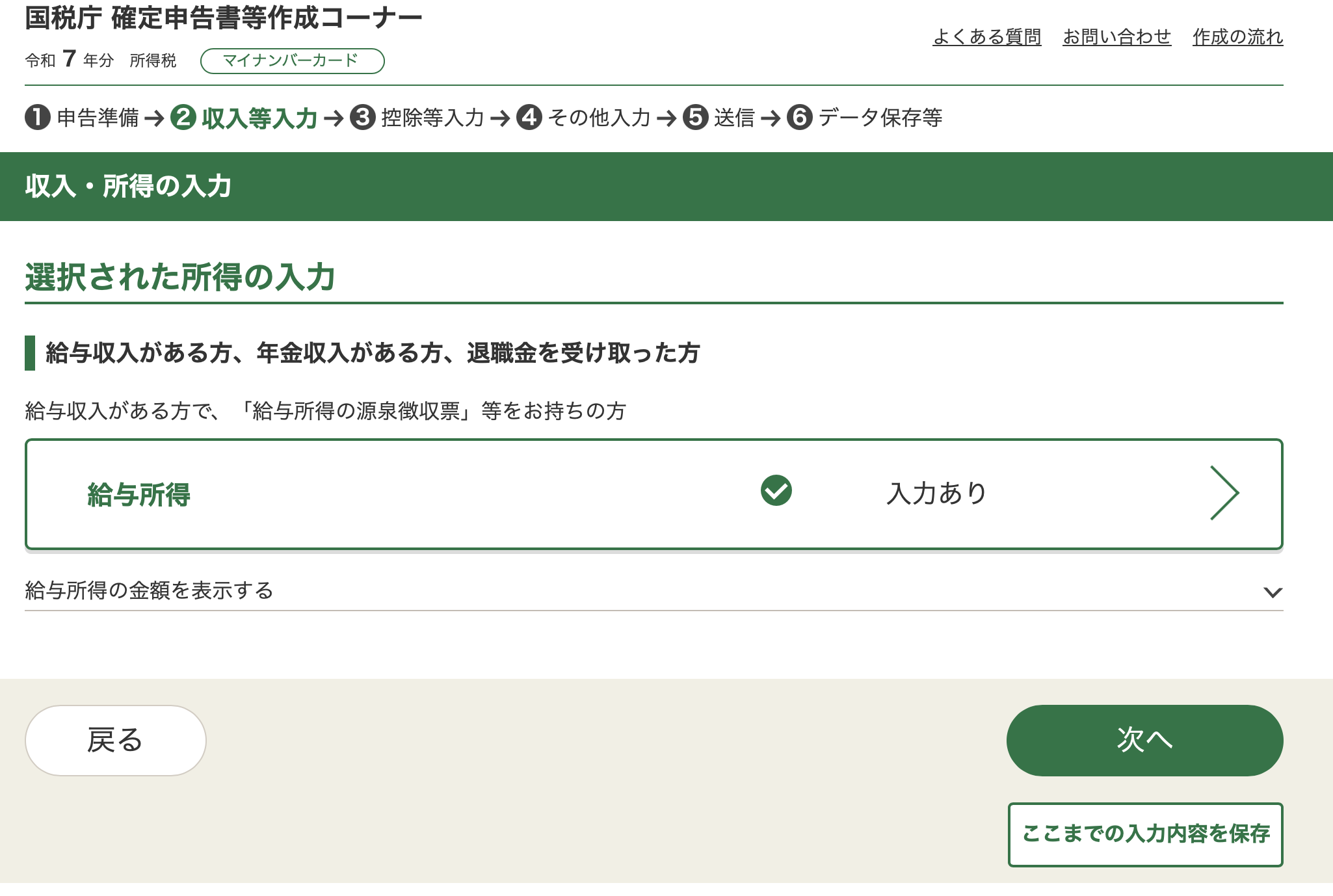
Select the green button at the bottom right to go to deductions.
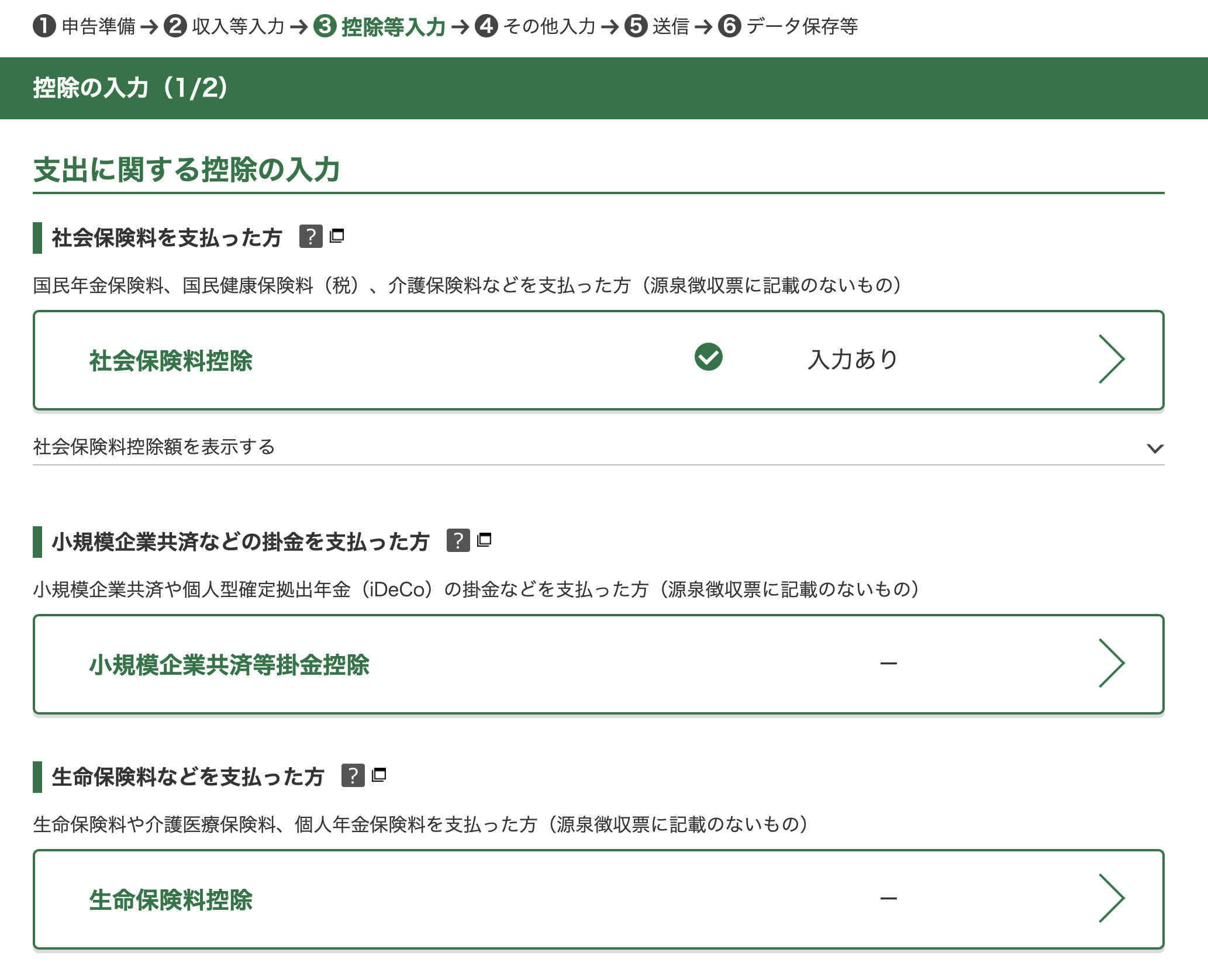
The first option is pre-populated based on what you filled in from your gensenchoshuhyo.
The second is if you're a small business owner who's contributed to a retirement fund, or if you've contributed to a DC plan that hasn't already been recorded in the gensenchoshuhyo.
The third is if you've paid for life insurance.
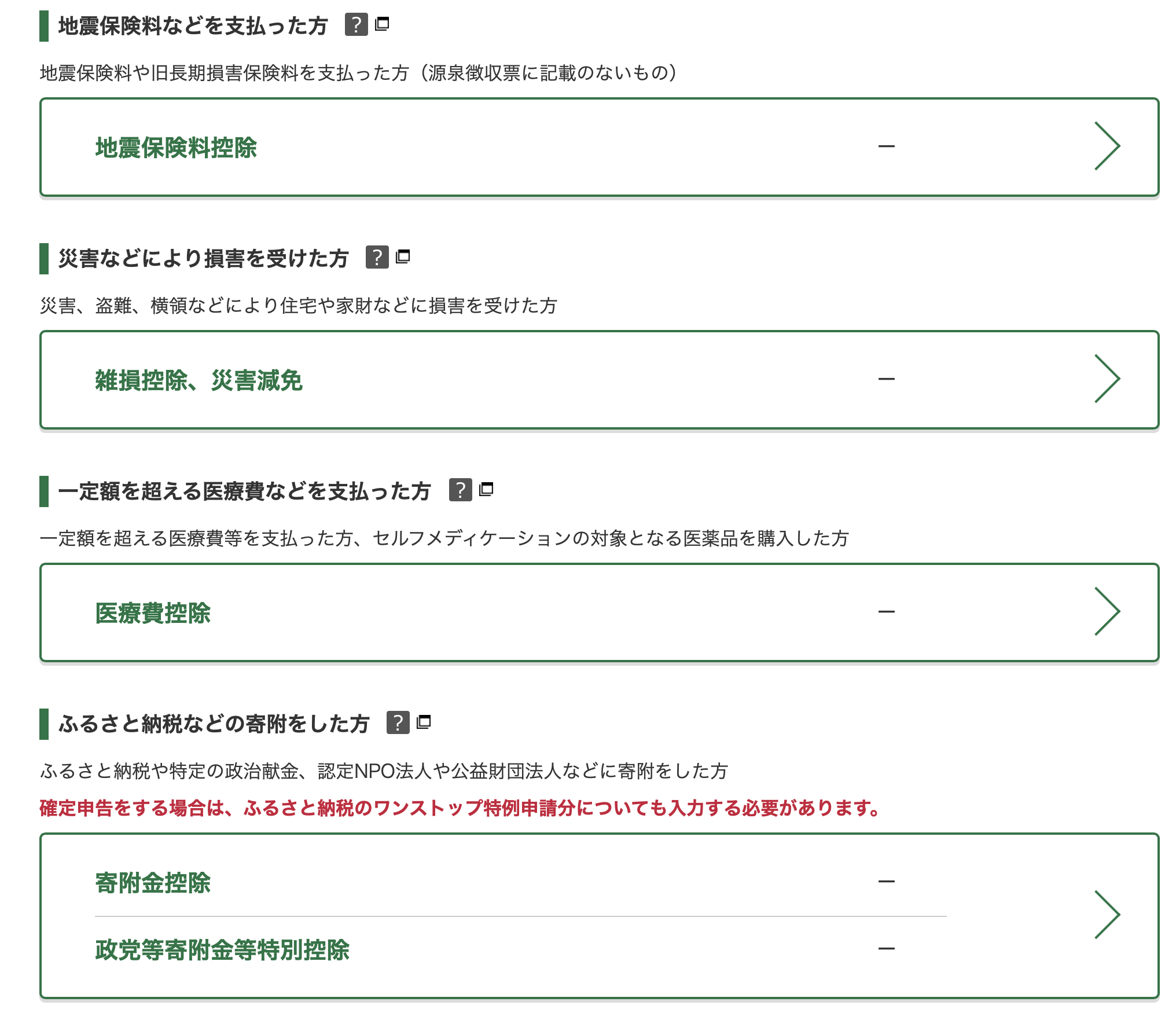
Then in descending order, its
- earthquake insurance
- if you've suffered losses from theft, disaster etc
- out-of-pocket healthcare costs paid above a certain amount
- furusato nouzei
I filled in furusato nouzei manually here. Select the button, then select the orange button
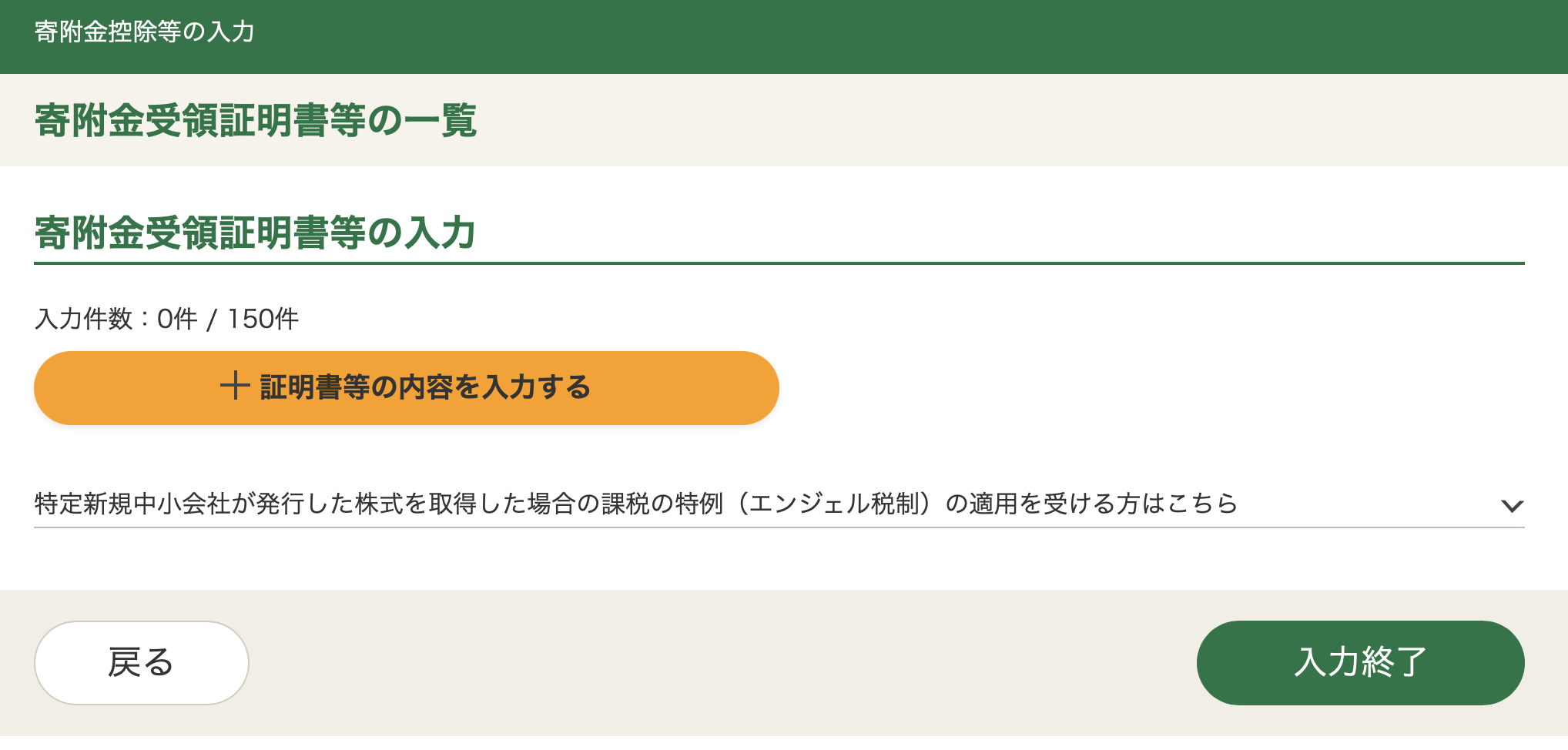
Then fill in the details.
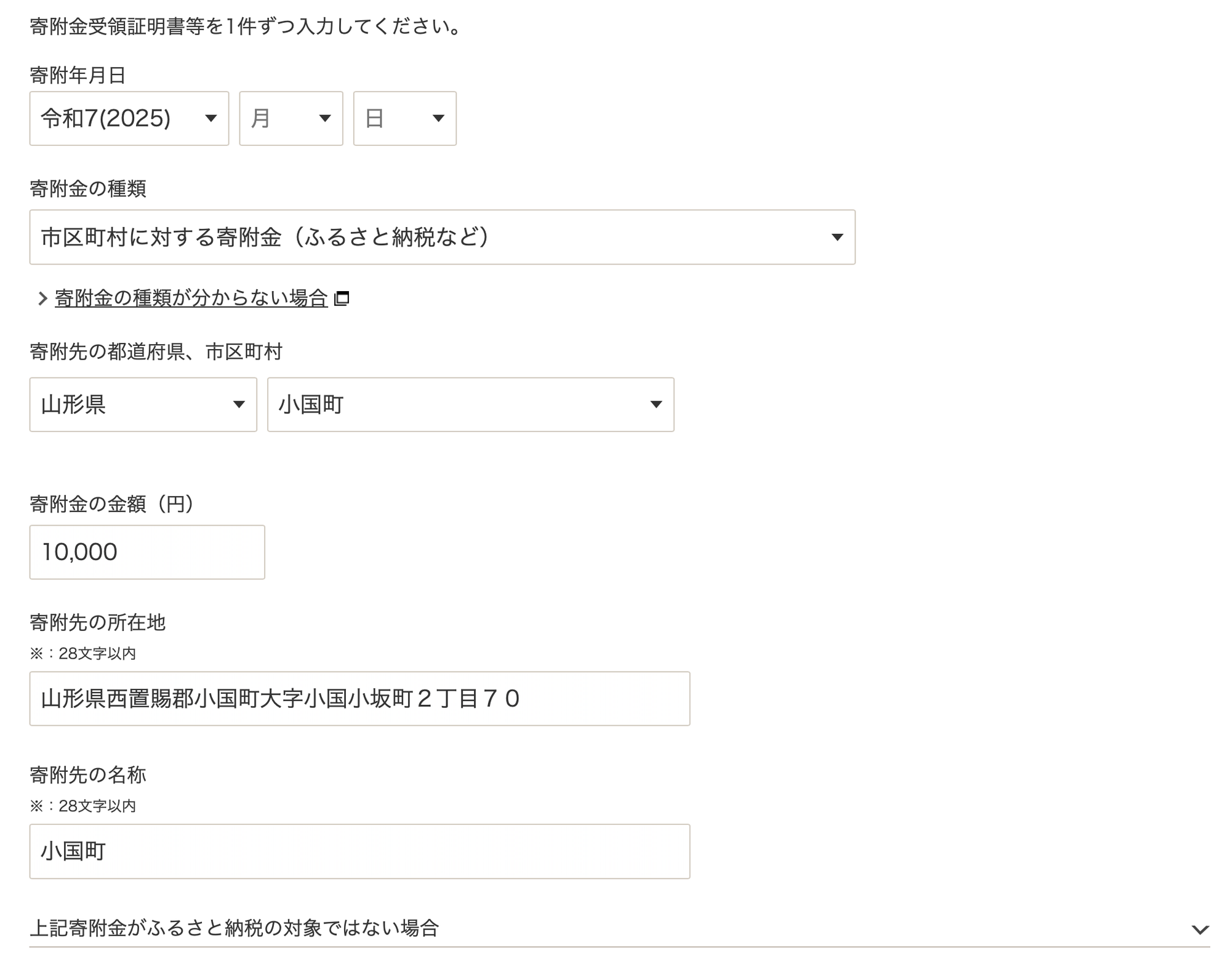
For 寄付金の種類, select the first option, 市区町村に対する寄付金.
Then select the prefecture, and city, input the amount, and scroll to the bottom.
There'll be 3 options. The first is to add another entry to a different city. The middle button is to add another entry for the same city. The right button is to save and proceed.
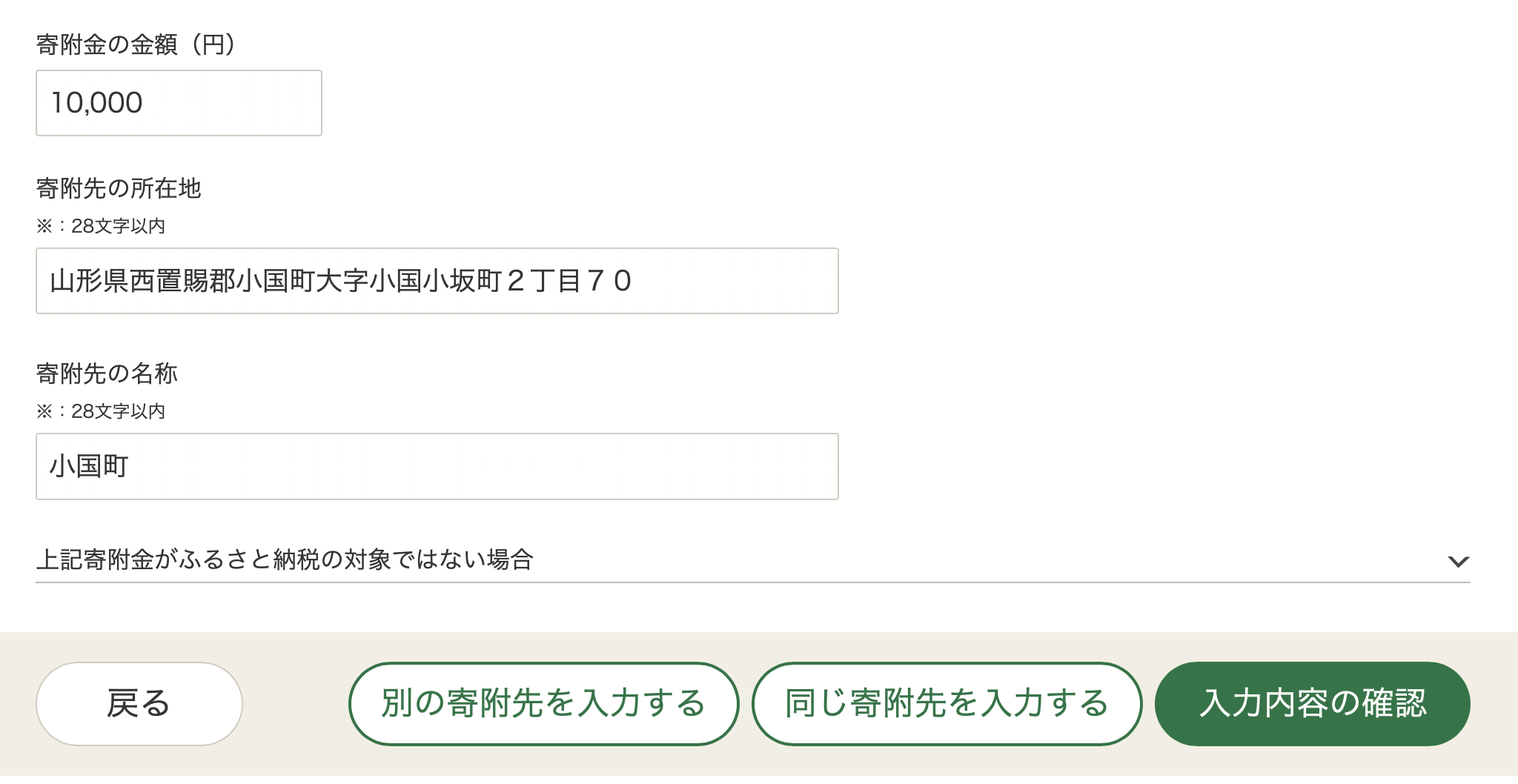
Once complete, go to the next page of deductions.
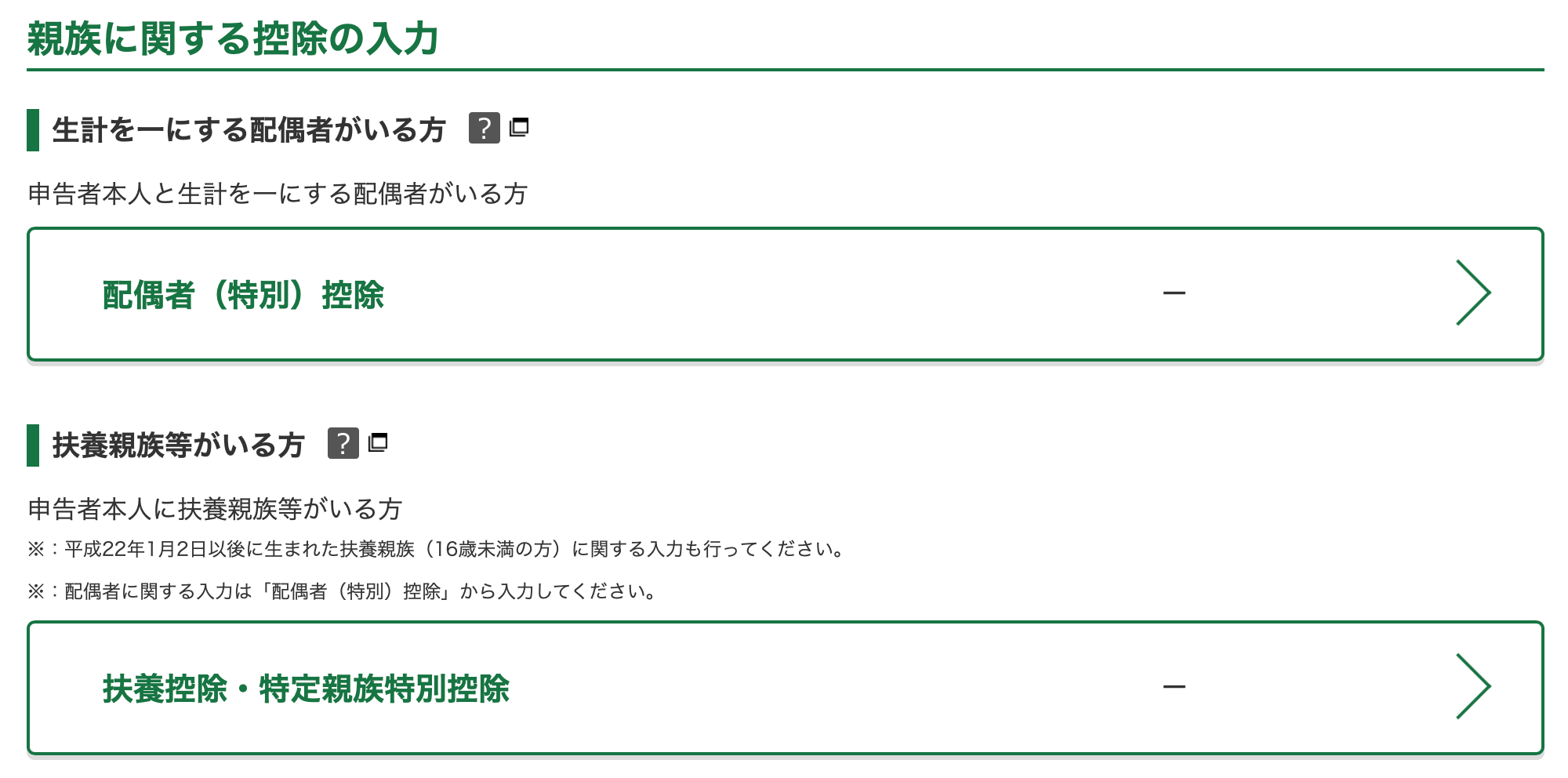
The first section is for dependents. The first option is spouse deductions, and the second is for other dependents
The next 3 options are deductions applicable to yourself.
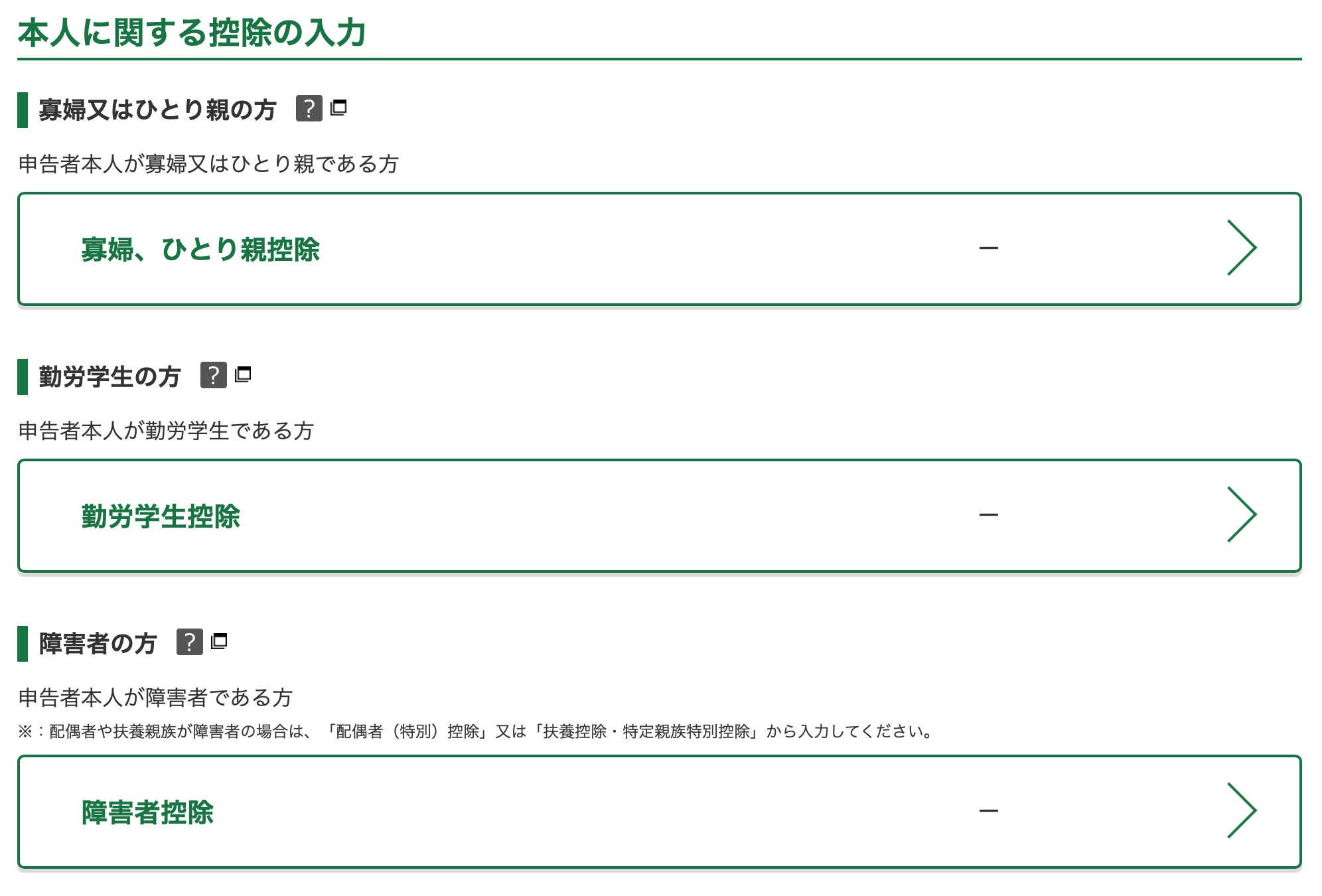
The first is if you're a widow or single parent, the second is if you're a student, and third is if you're disabled.
Then there's a section on housing loans.
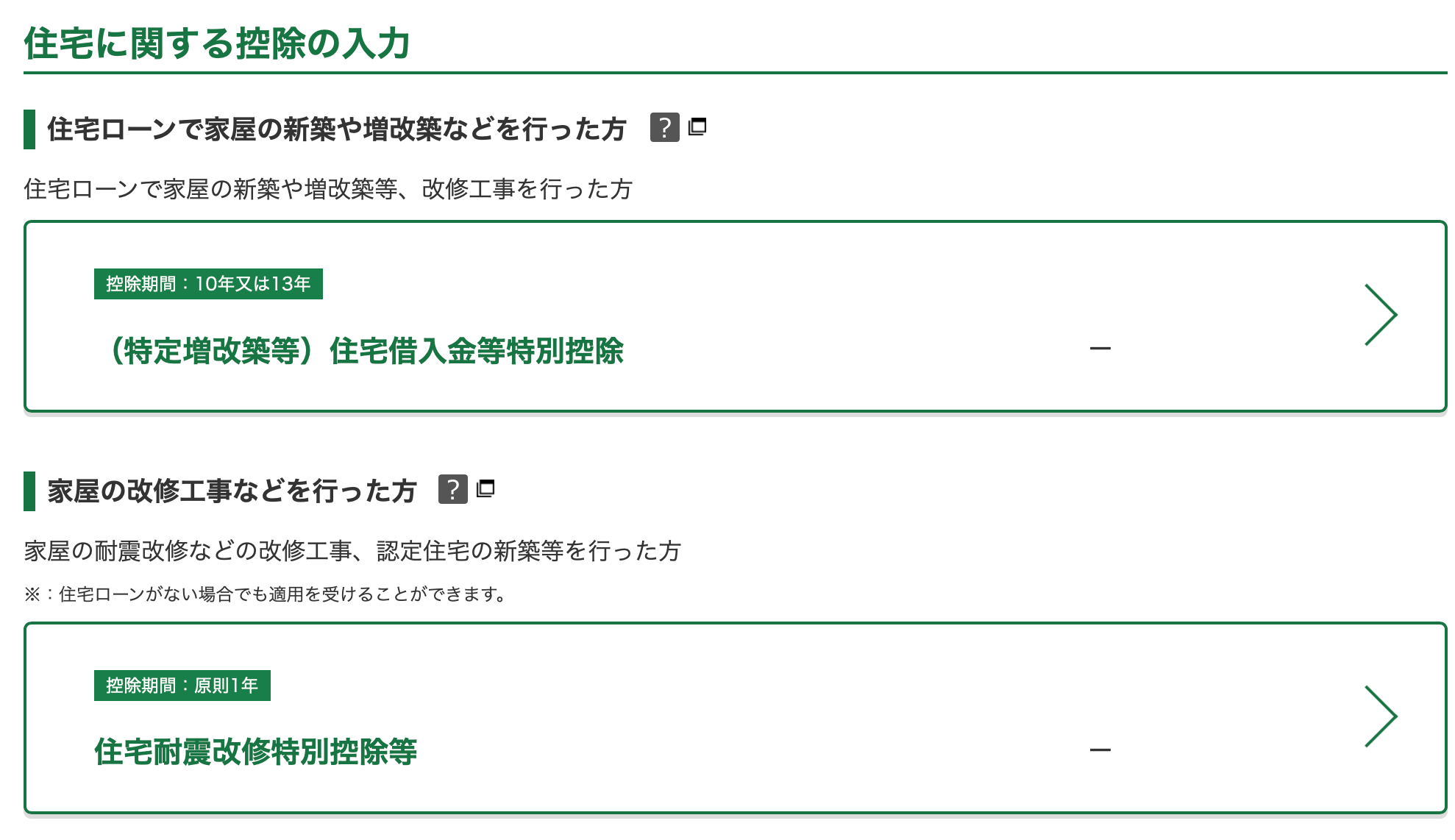
The first is deductions if you've taken a housing loan, and the second is if you've paid money to maintain or improve earthquake resistance of your property
Lastly, there's a section for other deductions.
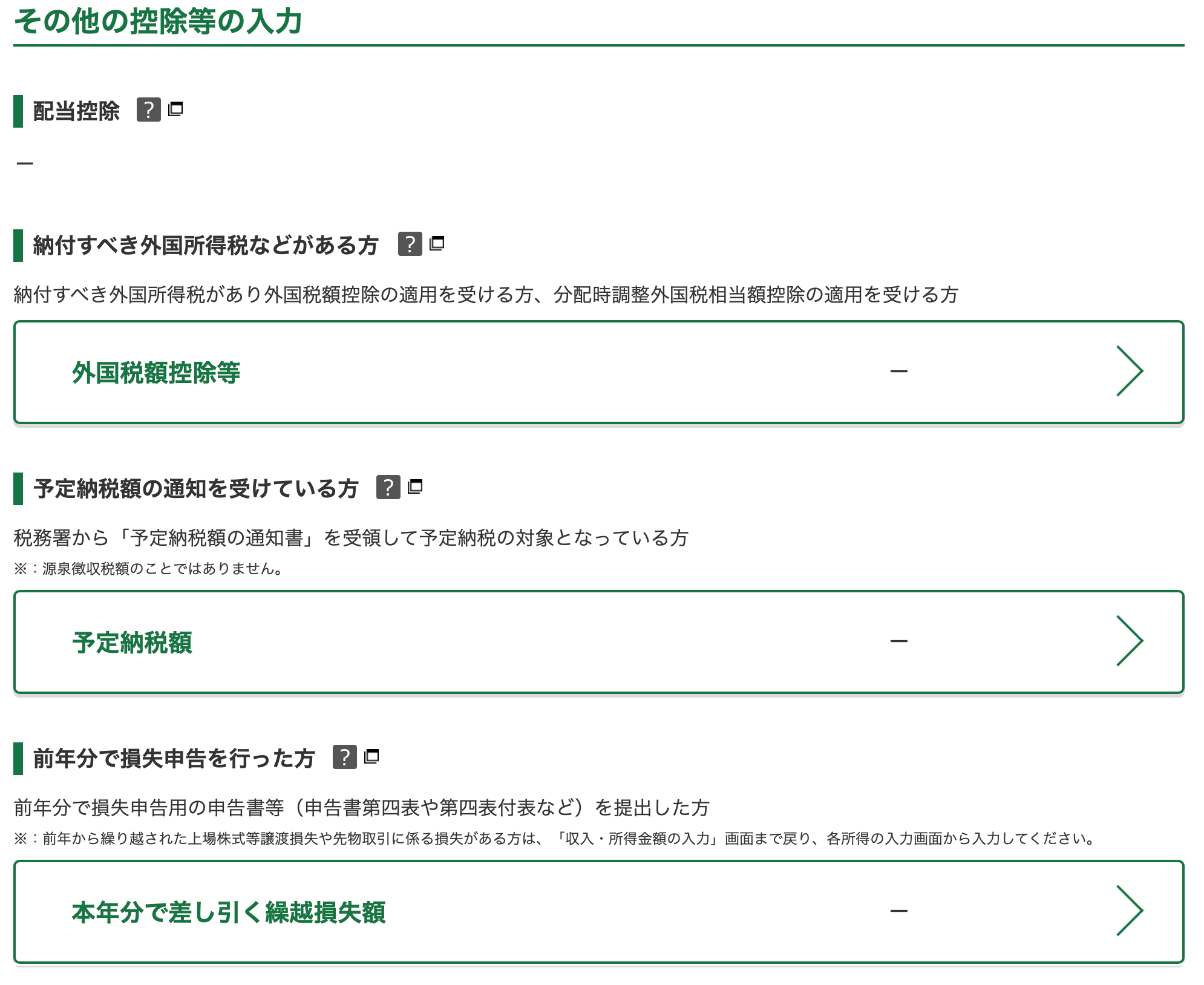
First is if you've paid taxes overseas that qualifies for double taxation treaties, second is if you've prepaid any taxes throughout the year (such as if the ward office sent you a prepayment notice at mid year), and third is if you have financial losses to declare (such as stock market losses, etc).
Completing this brings you to a final page to review your payable tax amount, with your eligible earnings and deductions. Proceeding from here leads you payment.
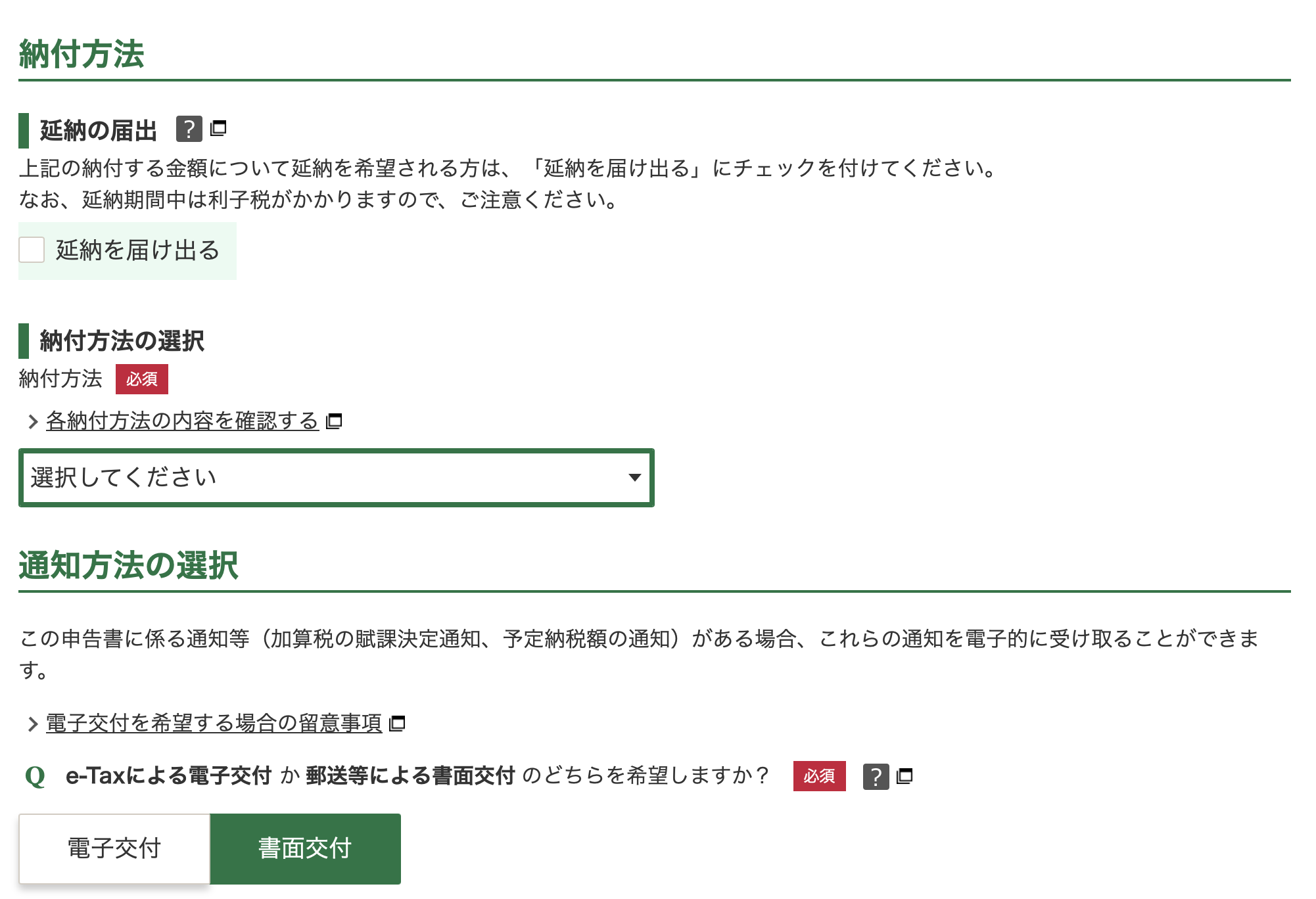
- Check the first checkbox if you need to request an extension on tax payments.
- The dropdown allows you to select your preferred tax payment method.
- The last question asks if you want an electronic or paper confirmation.
After selecting your options and proceeding, there's one last page of checks.
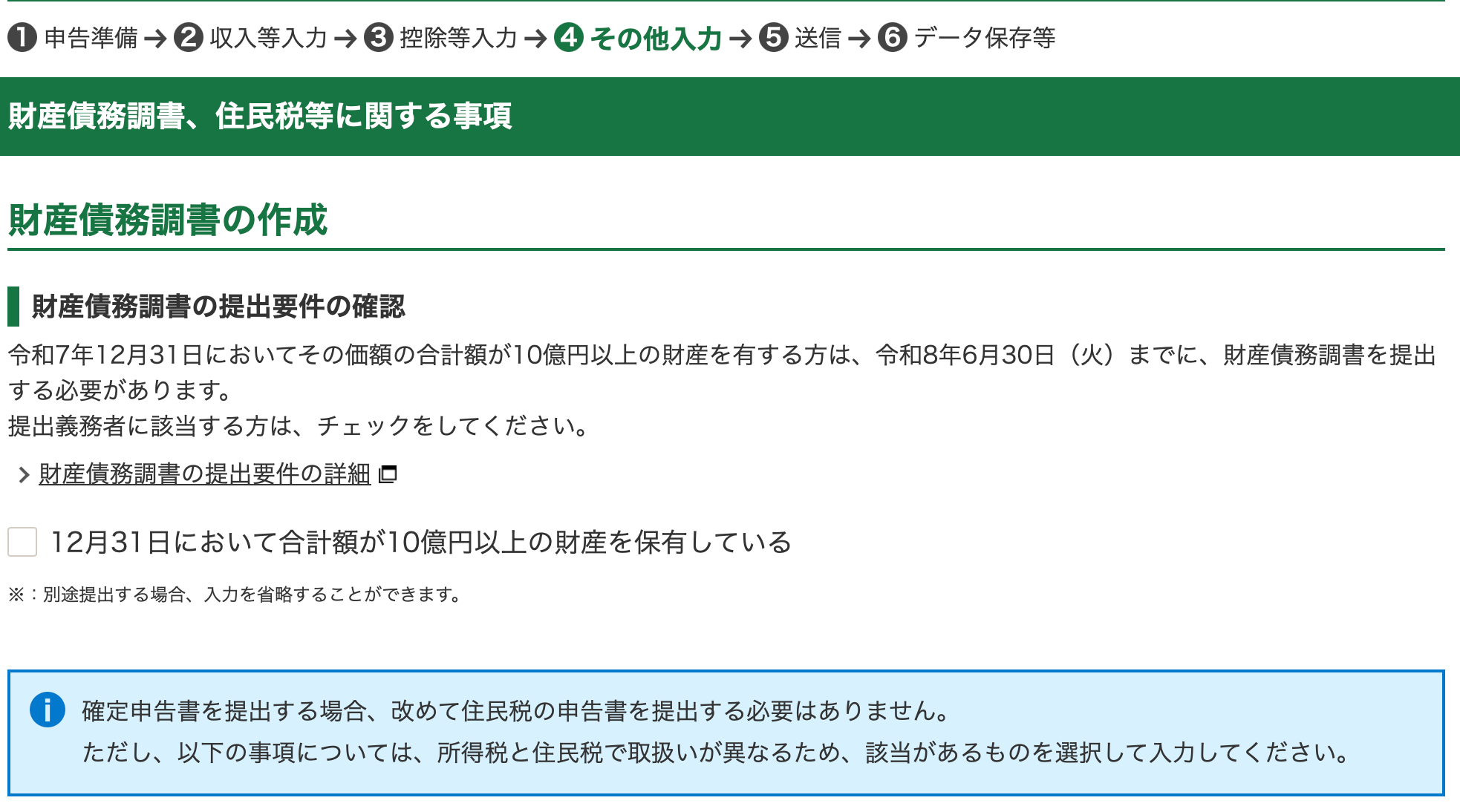
This checkbox is if you have assets above JPY1B (like, b for billion). That's $10M SGD. If you have that kind of money, i don't think you'd be concerned with filing your taxes yourself, so i'd assume you'd leave this unchecked.
And below that, there's a section for inhabitant's tax.
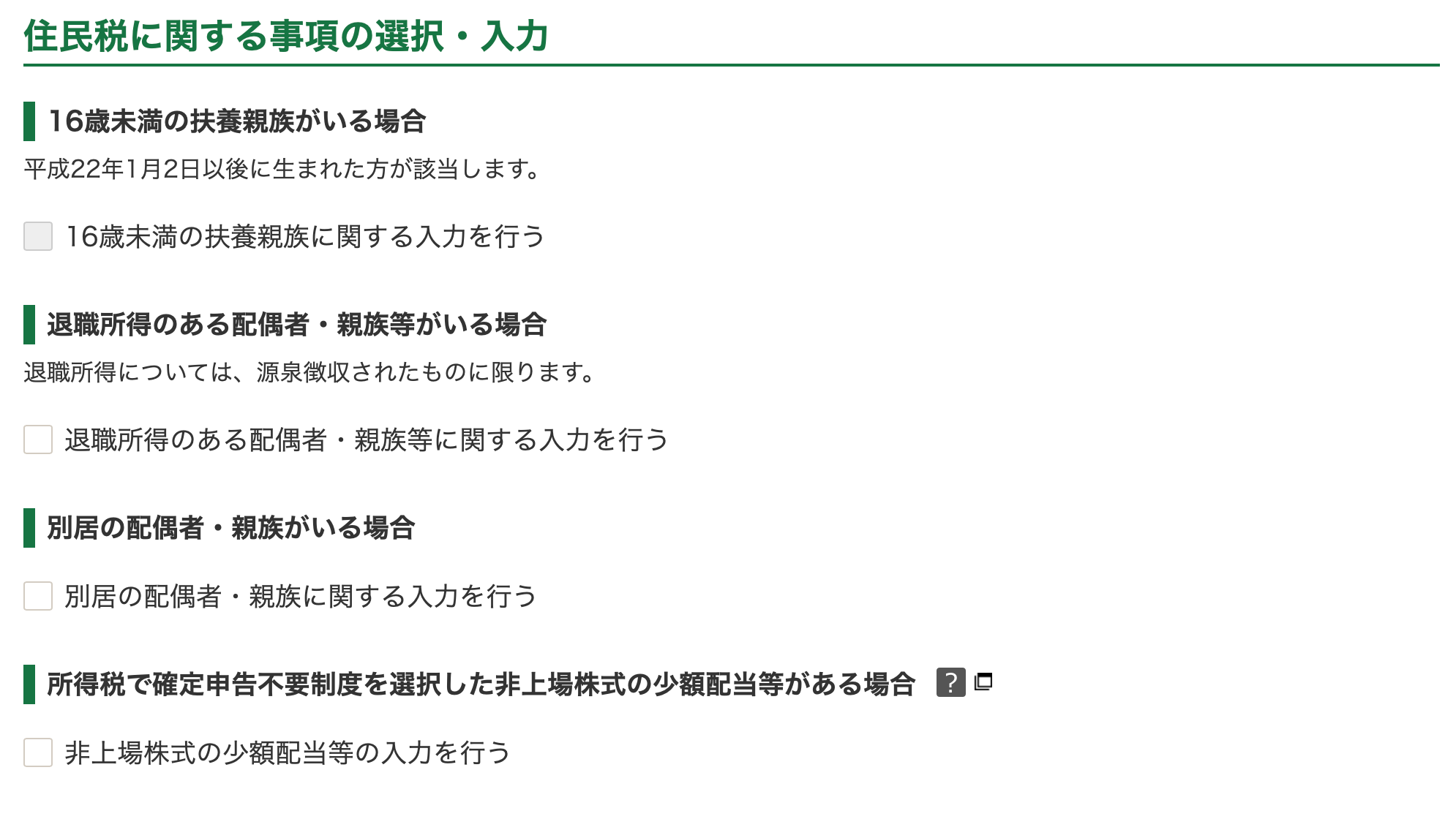
In descending order,
- if you have a dependent under 16 years old
- if your spouse or relative has retirement/severance income
- if you have a spouse or dependents living overseas
- if you have income from unlisted shares
Checking any of these prompts you to input details regarding these incomes or deductions.
Step 4: Submit
Completing this brings you to a final page to confirm your details and submit your tax filing. This outputs a draft version for you to check one last time, so you can return to edit anything that was filled out incorrectly.
Submitting finalises your tax return.
Ensure you complete payment by March 15th, and you'll be done with tax filing for the year.
Final disclaimer: It's my first time doing my taxes myself in Japan, on a best effort basis, and i'm documenting what i did in case it's helpful to anyone. This is by no means definitive, if you spot a mistake, or see something missing, let me know at emailpassengertokyo@gmail.com! I'll update this post accordingly.


